Symbolic Preview for Linux Free Download 0.0.9
Symbolic Preview for Linux: a utility to create, preview and export symbolic icons.
Overview
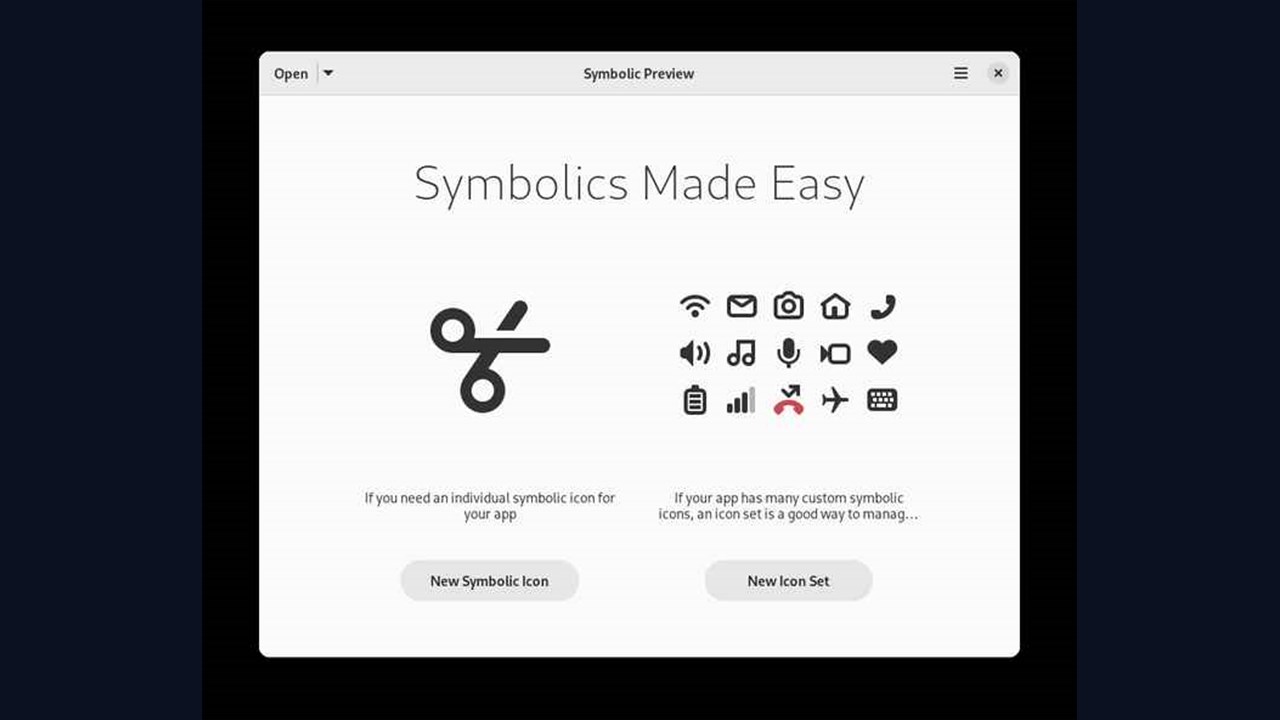
Overview Symbolic Preview is a utility that helps you create, preview and export your symbolic icons easily. It is made by Bilal Elmoussaoui and released under the GPL 3 license or later. Its start page says Symbolics Made Easy and offers two paths. New Symbolic Icon is for an individual symbolic icon for your app, and New Icon Set is a good way to manage an app that has many custom symbolic icons. The screenshots show the welcome page with a pair of scissors icon and a grid of sample icons such as Wi-Fi, mail, camera, home and phone, followed by the preview of an icon called bug-symbolic. The preview shows the icon at 16, 32 and 64 pixel sizes, in several grouped layouts such as toolbar, button and badge styles, side by side on a light and a dark background, which lets you check how it will look in both themes. An Export menu is in the header bar. A third view shows an icon set from the GNOME Shell source, with groups such as Actions and Status laid out as a grid and an Export All button. Key features Create a symbolic icon. Manage an icon set. Preview at 16, 32 and 64 pixels. Light and dark preview side by side. Preview in toolbar and button styles. Export a single icon. Export all icons in a set. Open existing files. Grouped icon sets. Simple interface. Who it is for Symbolic Preview is for app developers and designers who draw symbolic icons for GNOME style apps and want to check them quickly. How to use it Press New Symbolic Icon or New Icon Set, or open an existing fil…
Product Information
- Version: 0.0.9
- Platform: Linux
- File Size: 3.6 MB
- Developer: Bilal Elmoussaoui
- License: Free / Open Source (GPL-3.0)
- Downloads: 0
Frequently Asked Questions
- Is Symbolic Preview for Linux Free Download safe to download from FileXD?
- Yes. Every release of Symbolic Preview for Linux Free Download 0.0.9 hosted on FileXD is malware-scanned and verified before publication with a clean direct download link.
- What is the latest version and file size of Symbolic Preview for Linux Free Download?
- The latest version available on FileXD is 0.0.9 with a file size of 3.6 MB.
- How do I download Symbolic Preview for Linux Free Download directly?
- Click the Direct Download button on the Symbolic Preview for Linux Free Download page on FileXD to download the verified installer directly at full speed with no registration required.
Direct Download Symbolic Preview for Linux Free Download 0.0.9