Photometry for Linux 3.6.0
Photometry for Linux: view IES and EULUMDAT photometric files - light distribution curves, luminaire data and polar diagrams.
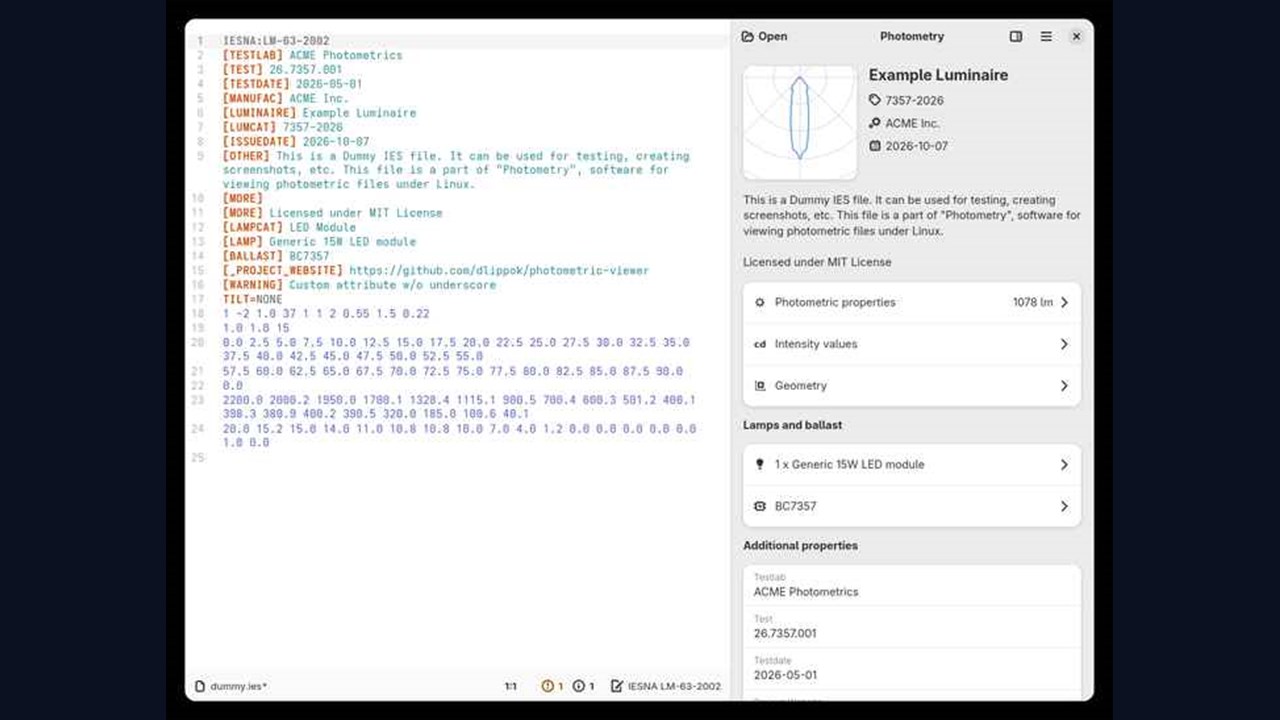
Overview
Photometry opens IES and EULUMDAT (LDT) files, the standard formats lighting manufacturers use to describe how a luminaire distributes light, and presents them clearly. The polar intensity diagram, candela values per angle and all metadata from the file header are displayed in a tidy interface. Engineers, lighting designers and students can inspect luminous flux, beam angles and symmetry at a glance, compare values and export the luminaire data or diagrams for documentation. The app validates files and points out problems in malformed photometric data instead of failing silently. Photometry is free and open-source software. On Linux the officially recommended distribution is the Flatpak: the download link below takes you to its listing on Flathub, which installs the current release with automatic updates on any distribution. System Requirements OS: Any 64-bit Linux distribution (Flatpak via Flathub) Size: About 15 MB installed via Flatpak Note: Free and open-source Features: IES and EULUMDAT/LDT file support, polar intensity diagrams, luminaire metadata, data validation, export for documentation Source: flathub.org/apps/io.github.dlippok.photometric-viewer Download source: Photometry's official Linux channel: its listing on Flathub (io.github.dlippok.photometric-viewer).
Product Information
- Version: 3.6.0
- Platform: Linux
- File Size: 15 MB
- Developer: Damian Lippok
- License: Free / Open Source (MIT)
- Downloads: 0
Frequently Asked Questions
- Is Photometry for Linux safe to download from FileXD?
- Yes. Every release of Photometry for Linux 3.6.0 hosted on FileXD is malware-scanned and verified before publication with a clean direct download link.
- What is the latest version and file size of Photometry for Linux?
- The latest version available on FileXD is 3.6.0 with a file size of 15 MB.
- How do I download Photometry for Linux directly?
- Click the Direct Download button on the Photometry for Linux page on FileXD to download the verified installer directly at full speed with no registration required.
Direct Download Photometry for Linux 3.6.0