Solaar for Linux 1.1.20
Solaar for Linux: the device manager for Logitech wireless gear - battery levels, pairing, DPI, scrolling and key remapping for Unifying and Bolt receivers.
Overview
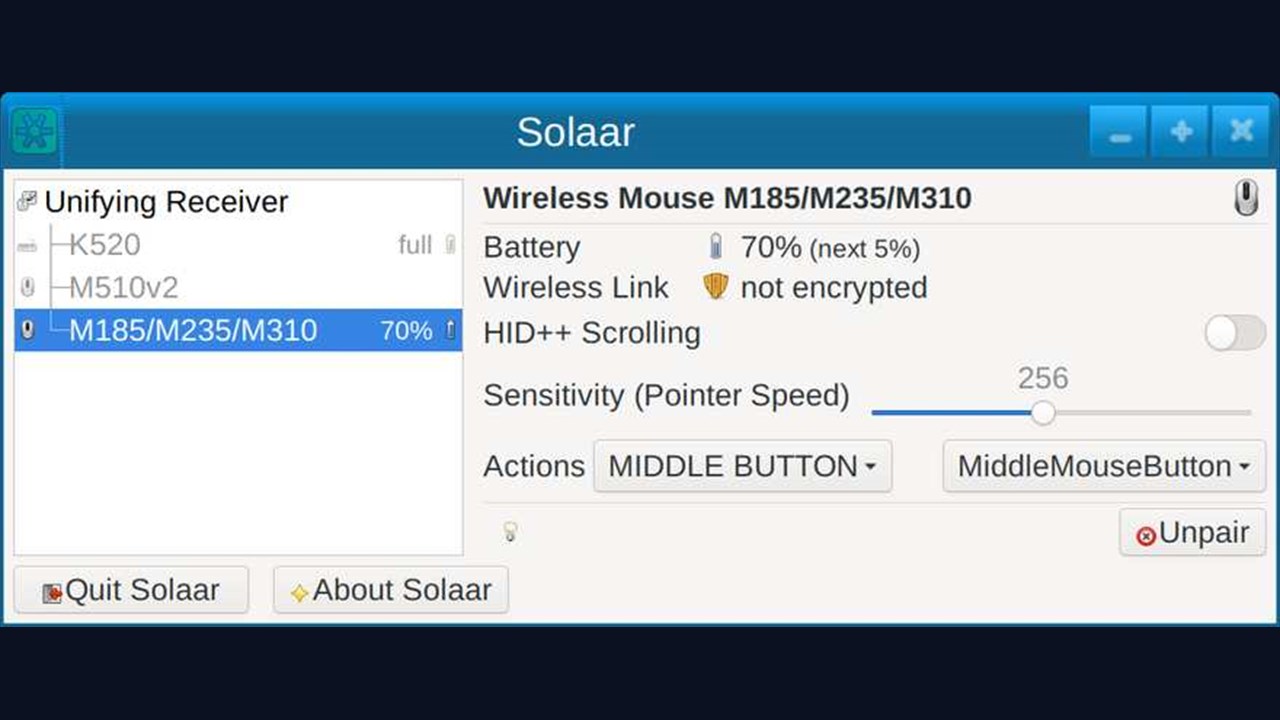
Solaar is the missing control panel for Logitech wireless devices on Linux. Connect a Unifying or Bolt receiver - or pair over Bluetooth - and every mouse and keyboard shows up with live battery percentage, wireless link status and firmware details. Pairing and unpairing devices to a receiver takes one click, with up to six devices per receiver. Beyond monitoring, Solaar exposes the settings Logitech only offers in its own software elsewhere: pointer sensitivity (DPI), smooth and high-resolution scrolling, scroll-wheel behavior, Fn-key swap on keyboards, and per-button actions through a rule editor that remaps gestures and buttons to whatever you want. It runs quietly in the tray with battery notifications, and supports a wide range of devices from the old Unifying line to MX Master and MX Keys. Solaar is free and open-source software (GPL). On Linux the officially recommended distribution is the verified Flatpak: the download link below takes you to Solaar's listing on Flathub, which installs the current release with automatic updates on any distribution. System Requirements OS: Any 64-bit Linux distribution (official Flatpak via Flathub) Size: About 10 MB installed via Flatpak Note: Free and open-source (GPL) Features: Battery monitoring, pairing manager, DPI/scrolling settings, button remapping, tray icon Source: flathub.org/apps/io.github.pwr_solaar.solaar Download source: Solaar's official Linux channel: the verified Solaar listing on Flathub (io.github.pwr_solaar.solaa…
Product Information
- Version: 1.1.20
- Platform: Linux
- File Size: 10 MB
- Developer: Solaar developers
- License: Free / Open Source
- Downloads: 0
Frequently Asked Questions
- Is Solaar for Linux safe to download from FileXD?
- Yes. Every release of Solaar for Linux 1.1.20 hosted on FileXD is malware-scanned and verified before publication with a clean direct download link.
- What is the latest version and file size of Solaar for Linux?
- The latest version available on FileXD is 1.1.20 with a file size of 10 MB.
- How do I download Solaar for Linux directly?
- Click the Direct Download button on the Solaar for Linux page on FileXD to download the verified installer directly at full speed with no registration required.
Direct Download Solaar for Linux 1.1.20