Mission Center for Linux 1.2.0
Mission Center for Linux: a sleek, modern system monitor - watch per-core CPU, memory, GPU, disk, network, fan and app resource usage in real time.
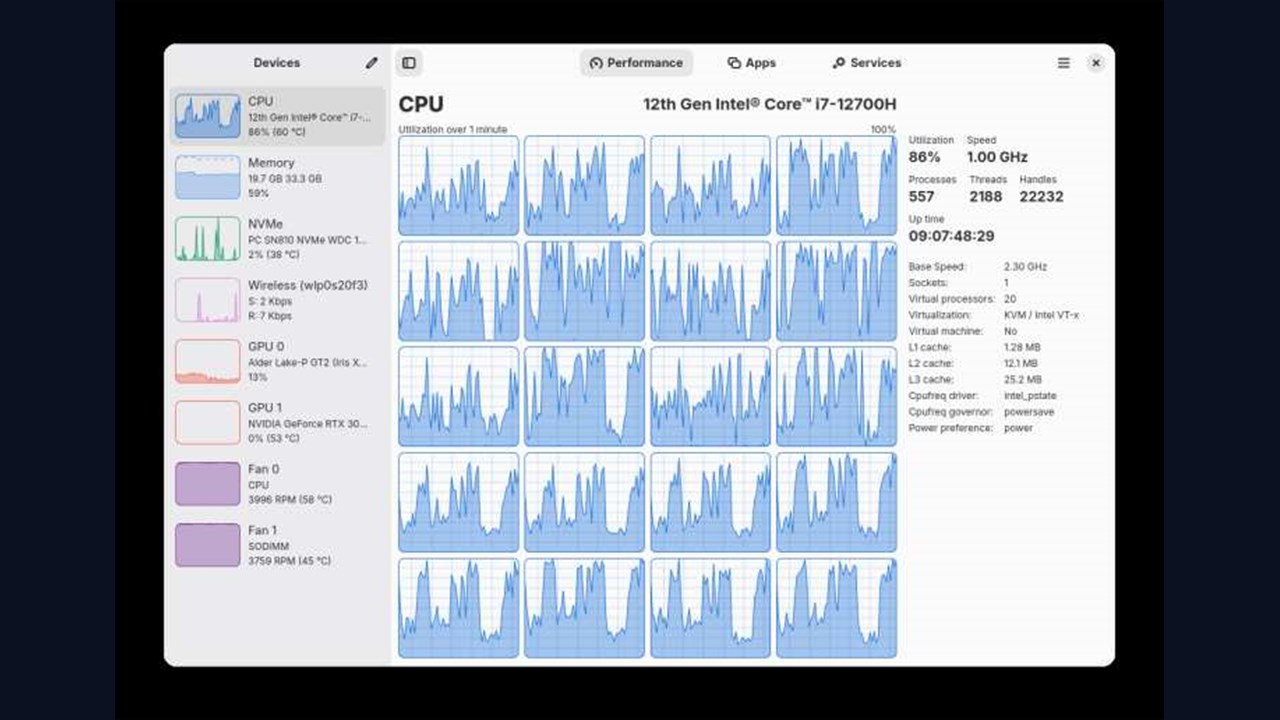
Overview
Mission Center is the system monitor Linux was missing: a fast, native app that turns your machine's vitals into clear, real-time graphs. The Performance page tracks every device at once - per-thread CPU utilization, memory and swap composition, disk activity and capacity, Ethernet and Wi-Fi throughput with signal strength, GPU utilization with video encode/decode and VRAM, plus fan speeds and temperatures for every sensor the kernel exposes. It reads like the Task Manager Windows users know, only built properly for Linux. Beyond the headline graphs, the Apps page breaks resource usage down by running application so a runaway process has nowhere to hide, and the Services page lists systemd units with their state and resource cost - you can even stop or start services right from the interface. Both AMD and NVIDIA GPUs are supported, per-disk and per-network-adapter views come standard, and everything runs with low overhead thanks to a Rust core. Mission Center is free and open-source software (GPL) maintained by the Mission Center project. On Linux the officially recommended distribution is the verified Flatpak: the download link below takes you to Mission Center's listing on Flathub, which installs the current release with automatic updates on any distribution. System Requirements OS: Any 64-bit Linux distribution (official Flatpak via Flathub) Size: About 25 MB installed via Flatpak Note: Free and open-source (GPL), Rust-powered monitoring core Covers: CPU per-thread, RAM,…
Product Information
- Version: 1.2.0
- Platform: Linux
- File Size: 25 MB
- Developer: Mission Center project
- License: Free / Open Source
- Downloads: 0
Frequently Asked Questions
- Is Mission Center for Linux safe to download from FileXD?
- Yes. Every release of Mission Center for Linux 1.2.0 hosted on FileXD is malware-scanned and verified before publication with a clean direct download link.
- What is the latest version and file size of Mission Center for Linux?
- The latest version available on FileXD is 1.2.0 with a file size of 25 MB.
- How do I download Mission Center for Linux directly?
- Click the Direct Download button on the Mission Center for Linux page on FileXD to download the verified installer directly at full speed with no registration required.
Direct Download Mission Center for Linux 1.2.0