Qpdf Tools for Linux Free Download 3.1.3
Qpdf Tools for Linux: a Qt interface for Ghostscript and QPDF to manage and optimize PDF files.
Overview
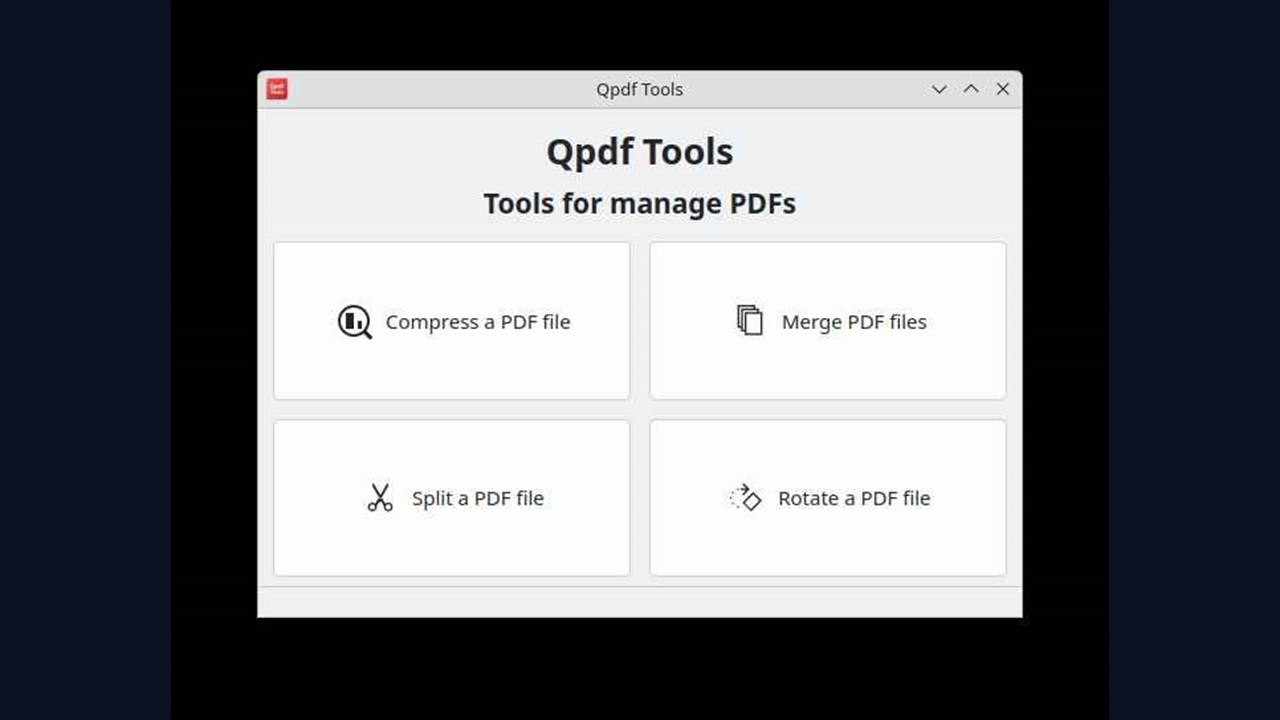
Overview Qpdf Tools is a user friendly Qt interface for Ghostscript and QPDF, designed to make PDF management simple and accessible for everyone. It is made by Silas Henrique and released under the Unlicense, which places it in the public domain. With it you can perform common PDF operations: compress PDF files to reduce their size, split documents into multiple files, merge multiple PDFs into a single document and rotate PDF pages. The screenshots show a small window with the title Qpdf Tools and the line Tools for manage PDFs. The start screen has four large buttons: Compress a PDF file, Merge PDF files, Split a PDF file and Rotate a PDF file. The merge page shows a list of PDF files, for example the LibreOffice guides for Getting Started, Writer, Impress, Calc, Draw and Math, with plus and minus buttons, up and down buttons to change the order, and a Merge PDFs button. The compress page has a Select PDF button and a path field, and a compression mode choice of Super low resolution for screen, Low resolution for ebooks, Normal resolution for printing and High resolution, with a Compress PDF button and a status line that reads Success. Key features Compress PDF files. Four compression modes from screen to high resolution. Merge several PDFs into one. Reorder files before merging. Split documents into several files. Rotate PDF pages. Simple Qt interface. Uses Ghostscript and QPDF. Who it is for Qpdf Tools is for anyone who needs to shrink, join, split or rotate PDF files wit…
Product Information
- Version: 3.1.3
- Platform: Linux
- File Size: 50 MB
- Developer: Silas Henrique
- License: Free / Open Source (Unlicense)
- Downloads: 0
Frequently Asked Questions
- Is Qpdf Tools for Linux Free Download safe to download from FileXD?
- Yes. Every release of Qpdf Tools for Linux Free Download 3.1.3 hosted on FileXD is malware-scanned and verified before publication with a clean direct download link.
- What is the latest version and file size of Qpdf Tools for Linux Free Download?
- The latest version available on FileXD is 3.1.3 with a file size of 50 MB.
- How do I download Qpdf Tools for Linux Free Download directly?
- Click the Direct Download button on the Qpdf Tools for Linux Free Download page on FileXD to download the verified installer directly at full speed with no registration required.
Direct Download Qpdf Tools for Linux Free Download 3.1.3