qBittorrent for Linux 5.3.1
A lightweight BitTorrent client with no ads, a built-in search engine and a web interface. qBittorrent is free and open-source, and this is the official AppImage.
Overview
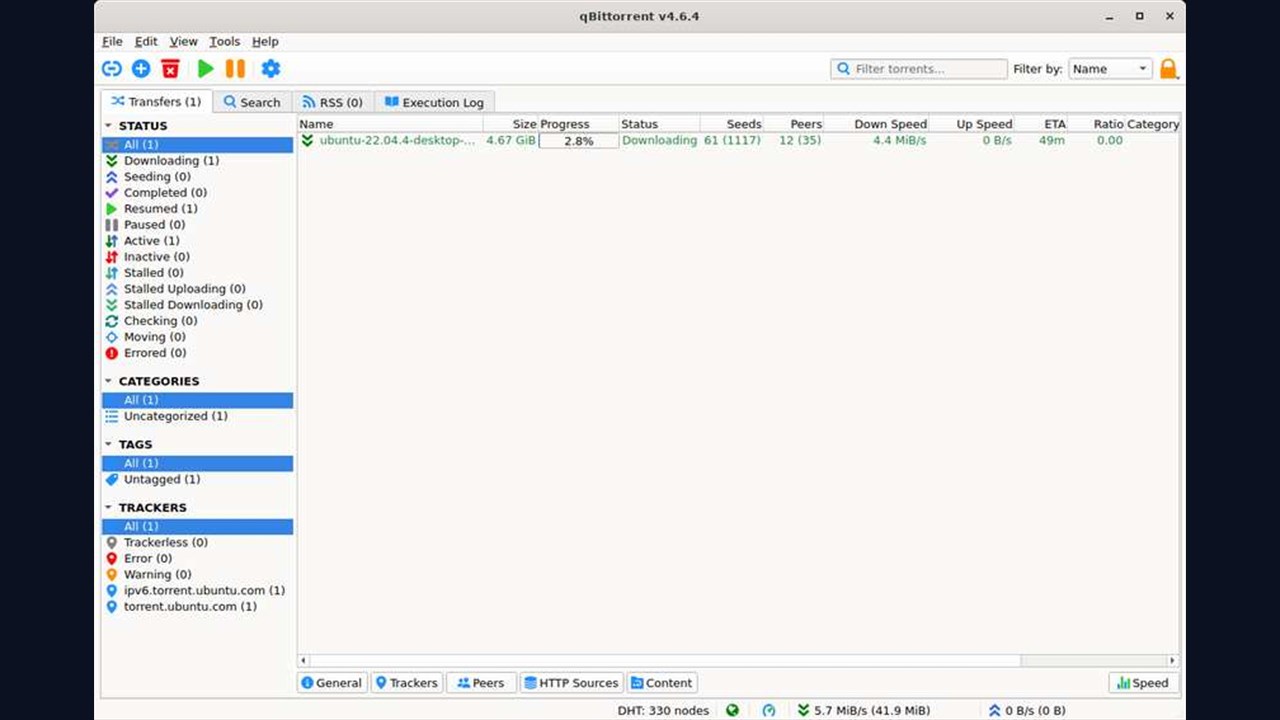
qBittorrent manages downloads with a clean list view, filters by status, category, tag and tracker, and a details panel that shows pieces, peers and trackers for the selected item. It has an RSS reader for automatic downloads, a search tab with plugins, bandwidth scheduling and a web interface for controlling it from another device. There are no ads or bundled extras. It is released under the GPL. Use it only for content you have the right to download, such as Linux distributions. The AppImage runs without installation. System Requirements OS: 64-bit Linux (x86_64) with a desktop that can run AppImages Source: the official qBittorrent release; the vendor publishes no further hardware list Download source: the official qBittorrent GitHub release (release-5.3.1, x86_64 AppImage).
Product Information
- Version: 5.3.1
- Platform: Linux
- File Size: 105.4 MB
- Developer: The qBittorrent project
- License: Open Source
- Downloads: 0
Frequently Asked Questions
- Is qBittorrent for Linux safe to download from FileXD?
- Yes. Every release of qBittorrent for Linux 5.3.1 hosted on FileXD is malware-scanned and verified before publication with a clean direct download link.
- What is the latest version and file size of qBittorrent for Linux?
- The latest version available on FileXD is 5.3.1 with a file size of 105.4 MB.
- How do I download qBittorrent for Linux directly?
- Click the Direct Download button on the qBittorrent for Linux page on FileXD to download the verified installer directly at full speed with no registration required.
Direct Download qBittorrent for Linux 5.3.1