Prunr for Linux 1.2.6
Prunr for Linux: find duplicate files and see exactly where your disk space went.
Overview
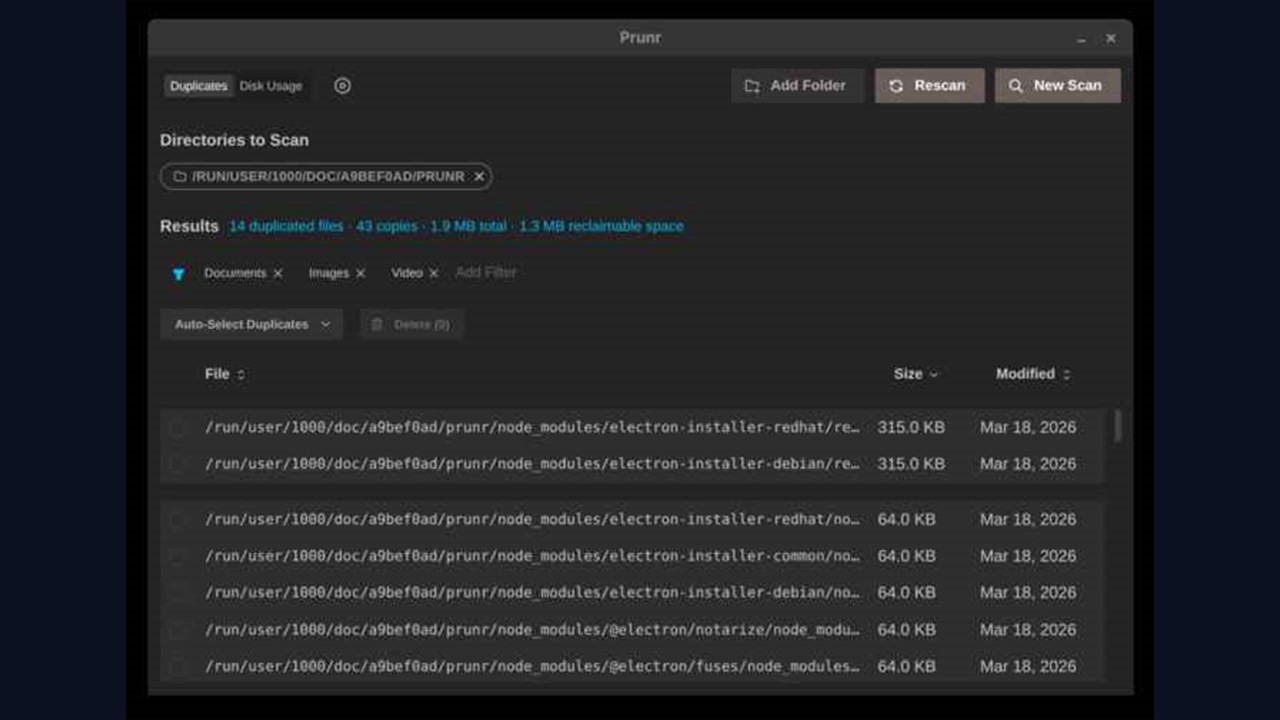
Prunr scans folders for duplicated files and presents them grouped with sizes and dates, so reclaiming space is a matter of auto-selecting the copies and deleting the extras. Filters narrow the hunt to documents, images or videos. The disk usage view turns any folder into a treemap or sunburst chart - the biggest space hogs are obvious at a glance, and drilling down takes one click. Two everyday cleanup jobs in one fast, offline app. Prunr on Linux: the officially recommended distribution is the Flatpak. The download link below takes you to its listing on Flathub, which installs the current release with automatic updates on any distribution. System Requirements OS: Any 64-bit Linux distribution (Flatpak via Flathub) Size: About 60 MB installed via Flatpak License: Free / Open Source (MIT) Features: Duplicate file finder with auto-select, file type filters, treemap and sunburst disk usage views, fully offline Source: flathub.org/apps/net.conceptualspace.prunr Download source: Prunr's official Linux channel: its listing on Flathub (net.conceptualspace.prunr).
Product Information
- Version: 1.2.6
- Platform: Linux
- File Size: 60 MB
- Developer: conceptualspace
- License: Free / Open Source (MIT)
- Downloads: 0
Frequently Asked Questions
- Is Prunr for Linux safe to download from FileXD?
- Yes. Every release of Prunr for Linux 1.2.6 hosted on FileXD is malware-scanned and verified before publication with a clean direct download link.
- What is the latest version and file size of Prunr for Linux?
- The latest version available on FileXD is 1.2.6 with a file size of 60 MB.
- How do I download Prunr for Linux directly?
- Click the Direct Download button on the Prunr for Linux page on FileXD to download the verified installer directly at full speed with no registration required.
Direct Download Prunr for Linux 1.2.6