Polychromatic for Linux Free Download 0.9.8
Polychromatic for Linux: manage RGB lighting for Razer devices with OpenRazer.
Overview
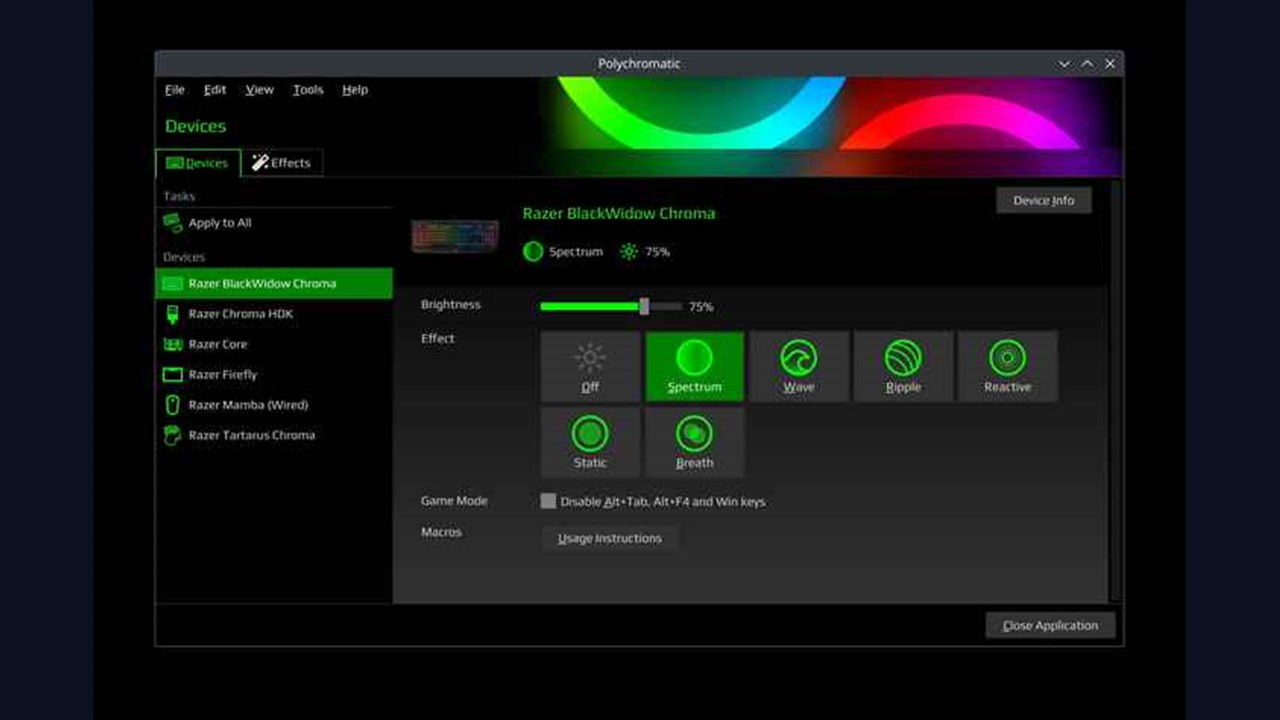
Overview Polychromatic is a front end for configuring Razer peripherals on Linux: keyboards, mice, keypads, headsets, laptops and more. It sits on top of OpenRazer, the open-source driver project, and uses the effects and settings available in the device firmware, including DPI, polling rate, brightness and device-specific functions such as Game Mode. Key features Choose a connected Razer device and set lighting effects, colors and brightness. Create your own lighting effects and animations with the built-in effect editor. Use a per-key editor for keyboards, which is handy for marking keys for a game or application, or for ambiance. Adjust DPI, polling rate and other hardware options on supported devices. View device information such as firmware version, serial number and battery level. Test individually addressable LEDs. Use a tray menu for quick changes. Who it is for Polychromatic is for Linux users who own Razer hardware and want to control it without the vendor software, which is not available for Linux. It works for casual color changes and for detailed custom setups. How to use it Install OpenRazer on your distribution first, then open Polychromatic. Your devices appear in a list. Select one, pick an effect such as static, wave or spectrum, choose colors, and apply. For keyboards, open the custom editor to paint individual keys and save the layout. Documentation and FAQs are available at docs.polychromatic.app. Requirements OpenRazer must be installed on the host dist…
Product Information
- Version: 0.9.8
- Platform: Linux
- File Size: 40 MB
- Developer: Luke Horwell
- License: Free / Open Source (GPL-3.0)
- Downloads: 0
Frequently Asked Questions
- Is Polychromatic for Linux Free Download safe to download from FileXD?
- Yes. Every release of Polychromatic for Linux Free Download 0.9.8 hosted on FileXD is malware-scanned and verified before publication with a clean direct download link.
- What is the latest version and file size of Polychromatic for Linux Free Download?
- The latest version available on FileXD is 0.9.8 with a file size of 40 MB.
- How do I download Polychromatic for Linux Free Download directly?
- Click the Direct Download button on the Polychromatic for Linux Free Download page on FileXD to download the verified installer directly at full speed with no registration required.
Direct Download Polychromatic for Linux Free Download 0.9.8