Planify for Linux 4.21.0
Planify for Linux: a beautiful, full-featured task manager - projects, sections, labels, reminders, drag-and-drop planning, and optional Todoist or Nextcloud sync.
Overview
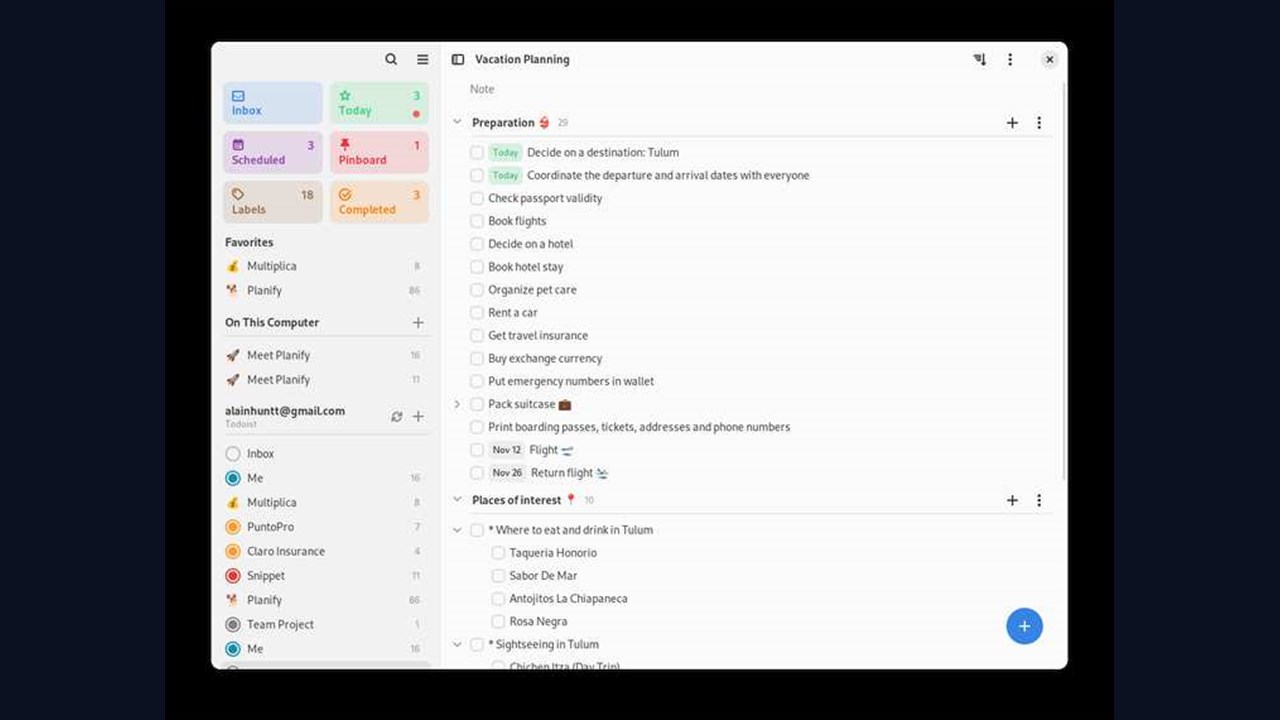
Planify turns to-do lists into something you actually enjoy opening. Tasks live in projects with color-coded sections, and each task can carry sub-tasks, labels, priorities, reminders, descriptions and file attachments. Quick views keep the day under control: Inbox for everything new, Today for what's due, Scheduled for the full timeline, a Pinboard for what matters most, and Labels to slice work across projects. Dragging tasks between days, projects and sections is instant, and the whole app follows your light or dark system theme. It works completely offline with local projects, and when you want sync it speaks Todoist and Nextcloud Tasks natively - your lists stay in step across devices without giving up the native Linux experience. Calendar integration shows today's events alongside your tasks, reminders fire as system notifications, and recurring tasks handle the chores that come back every week. Planify is free and open-source software (GPL) by Alain Meza. On Linux the officially recommended distribution is the verified Flatpak: the download link below takes you to Planify's listing on Flathub, which installs the current release with automatic updates on any distribution. System Requirements OS: Any 64-bit Linux distribution (official Flatpak via Flathub) Size: About 10 MB installed via Flatpak Note: Free and open-source (GPL); works fully offline Sync: Optional Todoist and Nextcloud Tasks integration Source: useplanify.com Download source: Planify's official Linux cha…
Product Information
- Version: 4.21.0
- Platform: Linux
- File Size: 10 MB
- Developer: Alain Meza
- License: Free / Open Source
- Downloads: 0
Frequently Asked Questions
- Is Planify for Linux safe to download from FileXD?
- Yes. Every release of Planify for Linux 4.21.0 hosted on FileXD is malware-scanned and verified before publication with a clean direct download link.
- What is the latest version and file size of Planify for Linux?
- The latest version available on FileXD is 4.21.0 with a file size of 10 MB.
- How do I download Planify for Linux directly?
- Click the Direct Download button on the Planify for Linux page on FileXD to download the verified installer directly at full speed with no registration required.
Direct Download Planify for Linux 4.21.0