Pins for Linux 2.4.8
Pins for Linux: create and edit app shortcuts in your application menu - pin custom commands, set icons, manage autostart and hide entries, no text editor needed.
Overview
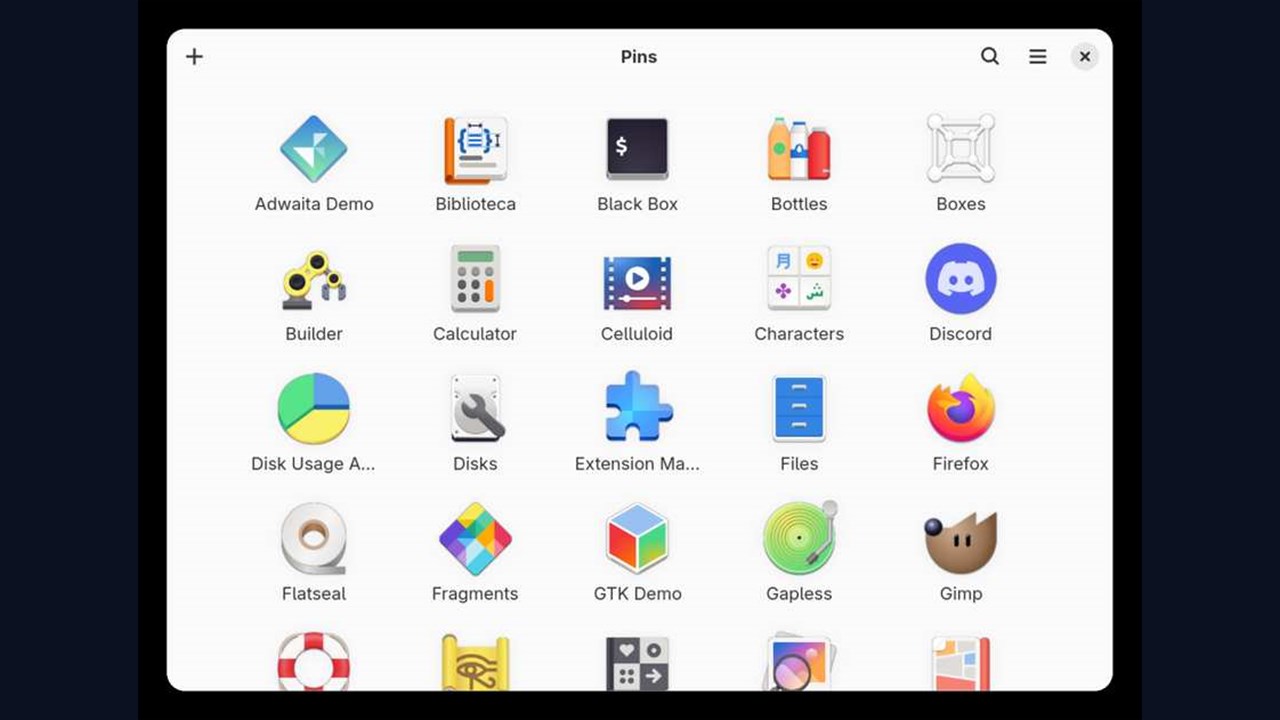
Pins is the missing editor for your Linux app menu. Every launcher on your system appears in a searchable grid, filterable by edited, system, hidden and autostart entries. Open one and change anything: the name and comment, the exact command it runs, the icon, whether it opens in a terminal, which file types it handles, and whether it launches at login. Creating a brand-new launcher for a script, a game ROM, a web app or a command-line tool takes under a minute. It is the tidy way to fix the little annoyances: hide duplicate or broken entries cluttering the menu, give an AppImage a proper name and icon, set a development tool to autostart, or repair a launcher that lost its icon after an update. Changes apply instantly and can be reset to defaults at any time. Pins is free and open-source software (GPL). On Linux the officially recommended distribution is the verified Flatpak: the download link below takes you to Pins' listing on Flathub, which installs the current release with automatic updates on any distribution. System Requirements OS: Any 64-bit Linux distribution (official Flatpak via Flathub) Size: About 4 MB installed via Flatpak Note: Free and open-source (GPL) Features: New launchers, edit name/command/icon, autostart, hide entries, search Source: flathub.org/apps/io.github.fabrialberio.pinapp Download source: Pins' official Linux channel: the verified Pins listing on Flathub (io.github.fabrialberio.pinapp).
Product Information
- Version: 2.4.8
- Platform: Linux
- File Size: 4 MB
- Developer: Fabri Alberio
- License: Free / Open Source
- Downloads: 0
Frequently Asked Questions
- Is Pins for Linux safe to download from FileXD?
- Yes. Every release of Pins for Linux 2.4.8 hosted on FileXD is malware-scanned and verified before publication with a clean direct download link.
- What is the latest version and file size of Pins for Linux?
- The latest version available on FileXD is 2.4.8 with a file size of 4 MB.
- How do I download Pins for Linux directly?
- Click the Direct Download button on the Pins for Linux page on FileXD to download the verified installer directly at full speed with no registration required.
Direct Download Pins for Linux 2.4.8