Pika Backup for Linux 0.8.4
Pika Backup for Linux: simple, encrypted backups for your personal data - back up to local drives or remote locations on a schedule, with deduplication built in.
Overview
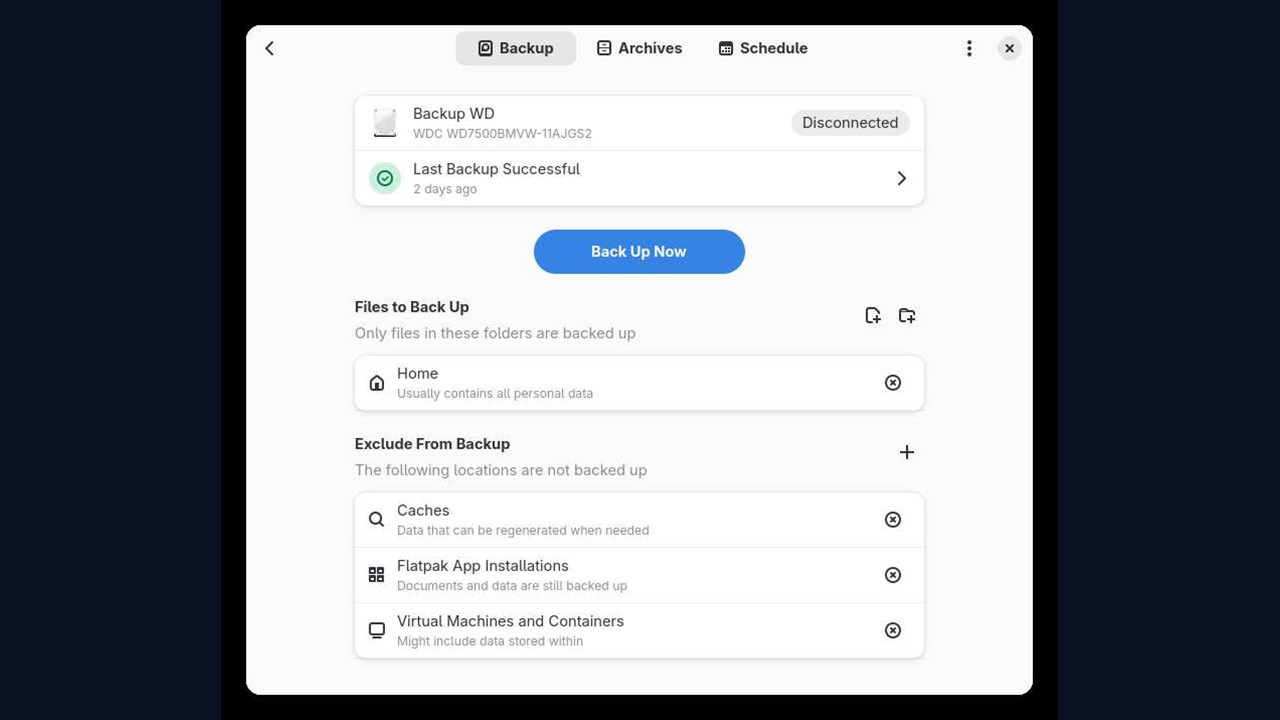
Pika Backup is designed around one idea: backups you will actually keep doing. Built on the rock-solid BorgBackup engine, it protects your files with encryption, compression and deduplication - so every backup after the first only stores what changed, saving enormous amounts of space and time. Choose the folders that matter, exclude what does not (caches, virtual machines, app data), and press Back Up Now. That is the whole workflow. Your backups can live almost anywhere: an external USB drive, a network share, or a remote repository over SSH - including dedicated Borg hosting services. Scheduled backups run hourly, daily, weekly or monthly with reminders when a drive is unplugged, old archives are cleaned up automatically on rules you set, and every archive can be browsed to restore individual files or whole folders. Multiple repositories with separate schedules are supported, so a local drive and an off-site copy can run side by side. Pika Backup is free and open-source software (GPL) maintained by the Pika Backup project. On Linux the officially recommended distribution is the verified Flatpak: the download link below takes you to Pika Backup's listing on Flathub, which installs the current release with automatic updates on any distribution. System Requirements OS: Any 64-bit Linux distribution (official Flatpak via Flathub) Size: About 10 MB installed via Flatpak (plus Borg runtime) Note: Free and open-source (GPL), built on BorgBackup Features: Encryption, deduplication…
Product Information
- Version: 0.8.4
- Platform: Linux
- File Size: 10 MB
- Developer: Pika Backup project
- License: Free / Open Source
- Downloads: 0
Frequently Asked Questions
- Is Pika Backup for Linux safe to download from FileXD?
- Yes. Every release of Pika Backup for Linux 0.8.4 hosted on FileXD is malware-scanned and verified before publication with a clean direct download link.
- What is the latest version and file size of Pika Backup for Linux?
- The latest version available on FileXD is 0.8.4 with a file size of 10 MB.
- How do I download Pika Backup for Linux directly?
- Click the Direct Download button on the Pika Backup for Linux page on FileXD to download the verified installer directly at full speed with no registration required.
Direct Download Pika Backup for Linux 0.8.4