NetPeek for Linux 0.3.5
NetPeek for Linux: local network scanner - discover every device on your network with deep scan, OS detection and one-click IP range setup.
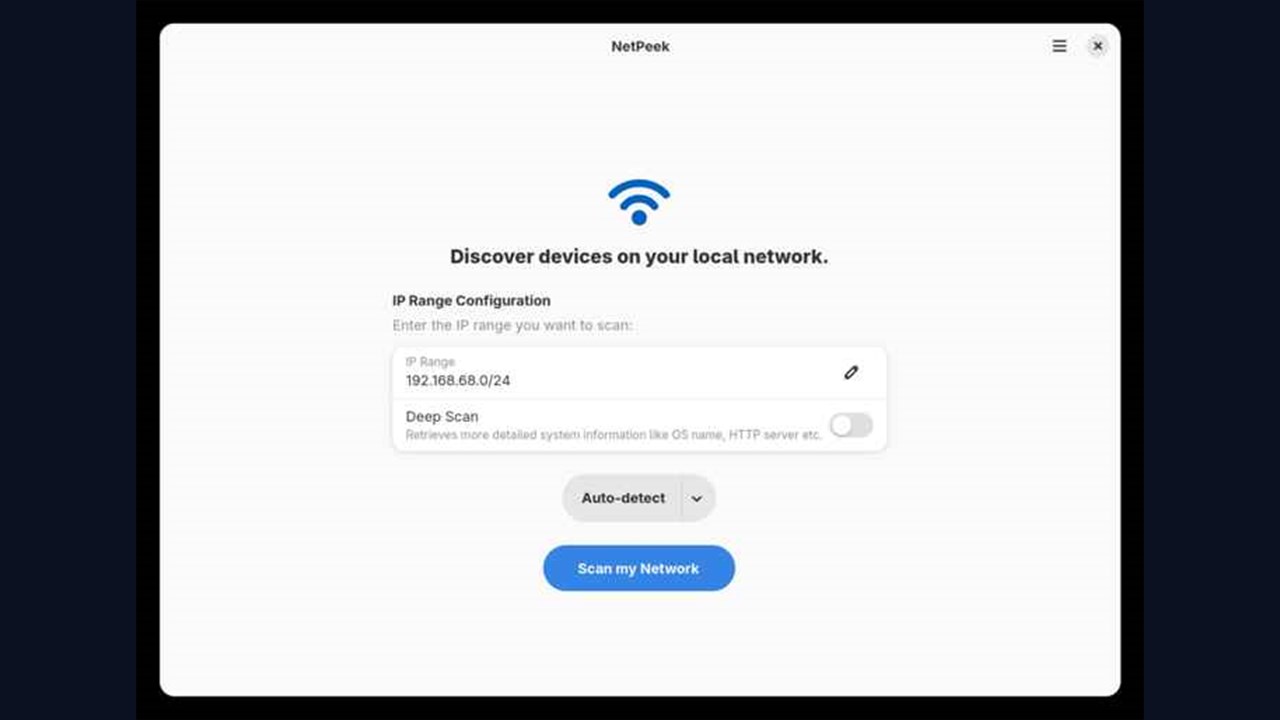
Overview
NetPeek shows you everything connected to your local network in seconds. Point it at an IP range - or let it auto-detect yours - and it scans for live hosts, resolving device names, open services and more. The deep scan mode goes further, retrieving detailed system information like OS name and HTTP server details. Live progress shows hosts scanned and elapsed time, and results update as devices answer. Export results for documentation or further analysis. Whether you are checking for unknown devices on your home Wi-Fi or mapping a work network before a change, NetPeek keeps the job simple and fast. NetPeek is free and open-source software. On Linux the officially recommended distribution is the Flatpak: the download link below takes you to its listing on Flathub, which installs the current release with automatic updates on any distribution. System Requirements OS: Any 64-bit Linux distribution (Flatpak via Flathub) Size: About 30 MB installed via Flatpak Note: Free and open-source - network discovery tool Features: IP range scanning, auto-detect, deep scan with OS detection, live progress, result export Source: flathub.org/apps/io.github.zingytomato.netpeek Download source: NetPeek's official Linux channel: its listing on Flathub (io.github.zingytomato.netpeek).
Product Information
- Version: 0.3.5
- Platform: Linux
- File Size: 30 MB
- Developer: zingytomato
- License: Free / Open Source
- Downloads: 0
Frequently Asked Questions
- Is NetPeek for Linux safe to download from FileXD?
- Yes. Every release of NetPeek for Linux 0.3.5 hosted on FileXD is malware-scanned and verified before publication with a clean direct download link.
- What is the latest version and file size of NetPeek for Linux?
- The latest version available on FileXD is 0.3.5 with a file size of 30 MB.
- How do I download NetPeek for Linux directly?
- Click the Direct Download button on the NetPeek for Linux page on FileXD to download the verified installer directly at full speed with no registration required.
Direct Download NetPeek for Linux 0.3.5