Halftone for Linux 0.7.1
Halftone for Linux: give photos a retro pixel-art look - dither images with classic algorithms, reduce colors, and export crisp lo-fi art in one click.
Overview
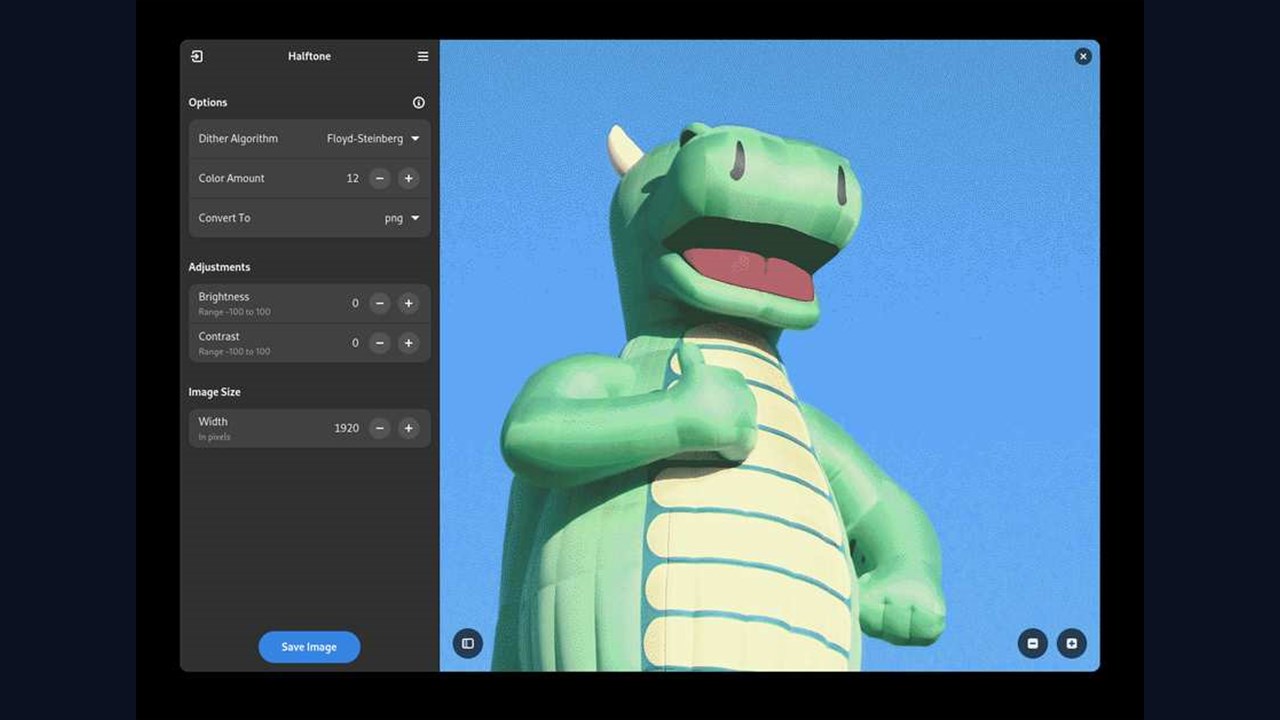
Halftone turns any photo into something that looks like it came off a 1990s machine. Drop in an image and watch it transform with real-time dithering: Floyd-Steinberg, ordered Bayer, Atkinson, Sierra and more classic algorithms, each giving a distinct texture. Dial the color palette down to a handful of shades for authentic retro depth, adjust brightness and contrast, and scale the output to any width. The workflow is deliberately minimal: everything lives in one sidebar, the preview updates instantly as you change settings, and Save Image writes PNG, JPEG or WebP. Use it for pixel-art profile pictures, lo-fi wallpapers, stylized blog illustrations, game assets, or just to make a photo look like it belongs on an old Macintosh. No accounts, no watermarks, no learning curve. Halftone is free and open-source software (GPL). On Linux the officially recommended distribution is the verified Flatpak: the download link below takes you to Halftone's listing on Flathub, which installs the current release with automatic updates on any distribution. System Requirements OS: Any 64-bit Linux distribution (official Flatpak via Flathub) Size: About 8 MB installed via Flatpak Note: Free and open-source (GPL) Features: Multiple dither algorithms, color reduction, adjustments, PNG/JPEG/WebP Source: flathub.org/apps/io.github.tfuxu.Halftone Download source: Halftone's official Linux channel: the verified Halftone listing on Flathub (io.github.tfuxu.Halftone).
Product Information
- Version: 0.7.1
- Platform: Linux
- File Size: 8 MB
- Developer: tfuxu
- License: Free / Open Source
- Downloads: 0
Frequently Asked Questions
- Is Halftone for Linux safe to download from FileXD?
- Yes. Every release of Halftone for Linux 0.7.1 hosted on FileXD is malware-scanned and verified before publication with a clean direct download link.
- What is the latest version and file size of Halftone for Linux?
- The latest version available on FileXD is 0.7.1 with a file size of 8 MB.
- How do I download Halftone for Linux directly?
- Click the Direct Download button on the Halftone for Linux page on FileXD to download the verified installer directly at full speed with no registration required.
Direct Download Halftone for Linux 0.7.1