Clocks for Linux 51.0
Clocks for Linux: GNOME's world clock, alarms, stopwatch and timers - track any city's time, set repeating alarms, and run multiple countdown timers in one tidy app.
Overview
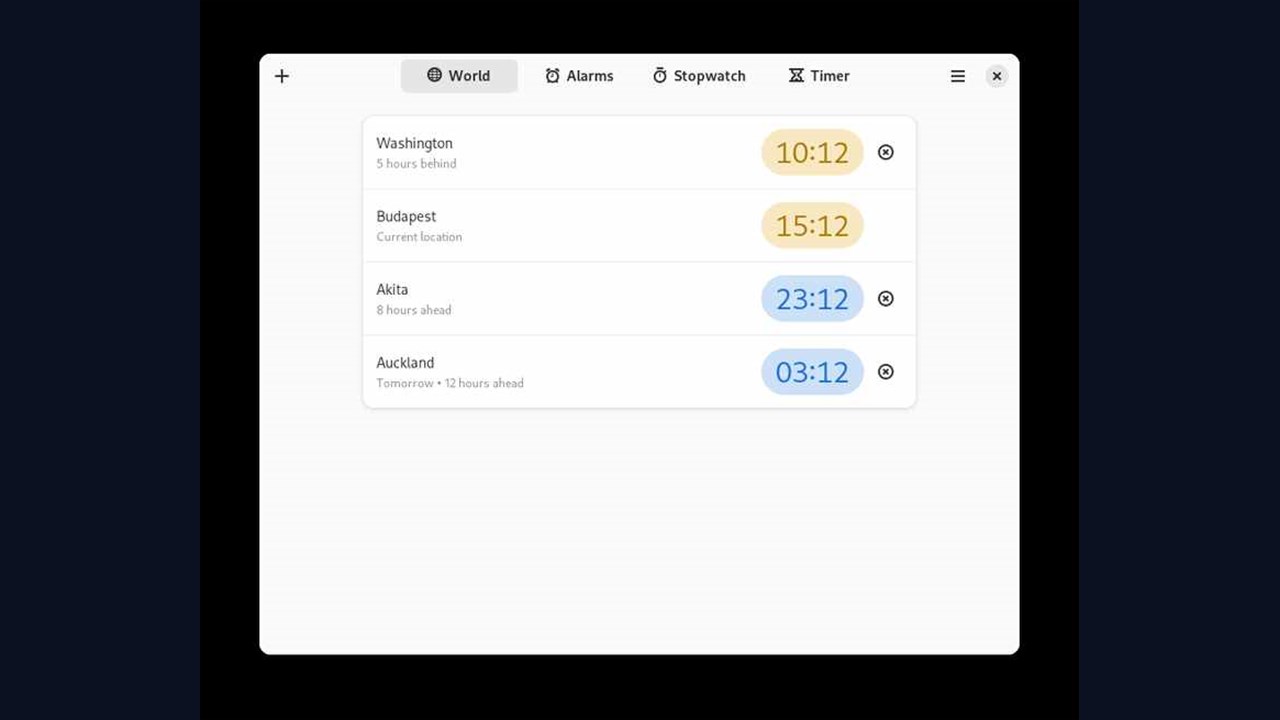
Clocks keeps every kind of time in one window. The world view pins any city on Earth with its current time and how far ahead or behind it is from you, color-coded by day and night - scheduling across timezones stops being arithmetic. It uses your location to show the local city alongside your pinned ones. Alarms are real alarms: they repeat on the weekdays you choose, ring with a system notification and sound, and can be named and snoozed. The stopwatch counts up with lap tracking, and the timer view runs several named countdowns at once, each with its own alert. Everything integrates with the desktop's notification system, so a timer you started an hour ago still gets your attention. Clocks is free and open-source software (GPL) from the GNOME community. On Linux the officially recommended distribution is the verified Flatpak: the download link below takes you to the Clocks listing on Flathub, which installs the current release with automatic updates on any distribution. System Requirements OS: Any 64-bit Linux distribution (official Flatpak via Flathub) Size: About 10 MB installed via Flatpak Note: Free and open-source (GPL) Features: World clocks, repeating alarms, stopwatch with laps, multiple named timers, notifications Source: flathub.org/apps/org.gnome.clocks Download source: Clocks' official Linux channel: the verified Clocks listing on Flathub (org.gnome.clocks).
Product Information
- Version: 51.0
- Platform: Linux
- File Size: 10 MB
- Developer: GNOME
- License: Free / Open Source
- Downloads: 0
Frequently Asked Questions
- Is Clocks for Linux safe to download from FileXD?
- Yes. Every release of Clocks for Linux 51.0 hosted on FileXD is malware-scanned and verified before publication with a clean direct download link.
- What is the latest version and file size of Clocks for Linux?
- The latest version available on FileXD is 51.0 with a file size of 10 MB.
- How do I download Clocks for Linux directly?
- Click the Direct Download button on the Clocks for Linux page on FileXD to download the verified installer directly at full speed with no registration required.
Direct Download Clocks for Linux 51.0