WinPaletter Free Download 1.1.0.0
Recolor Windows exactly the way you want: accents, taskbar, title bars and more.
Overview
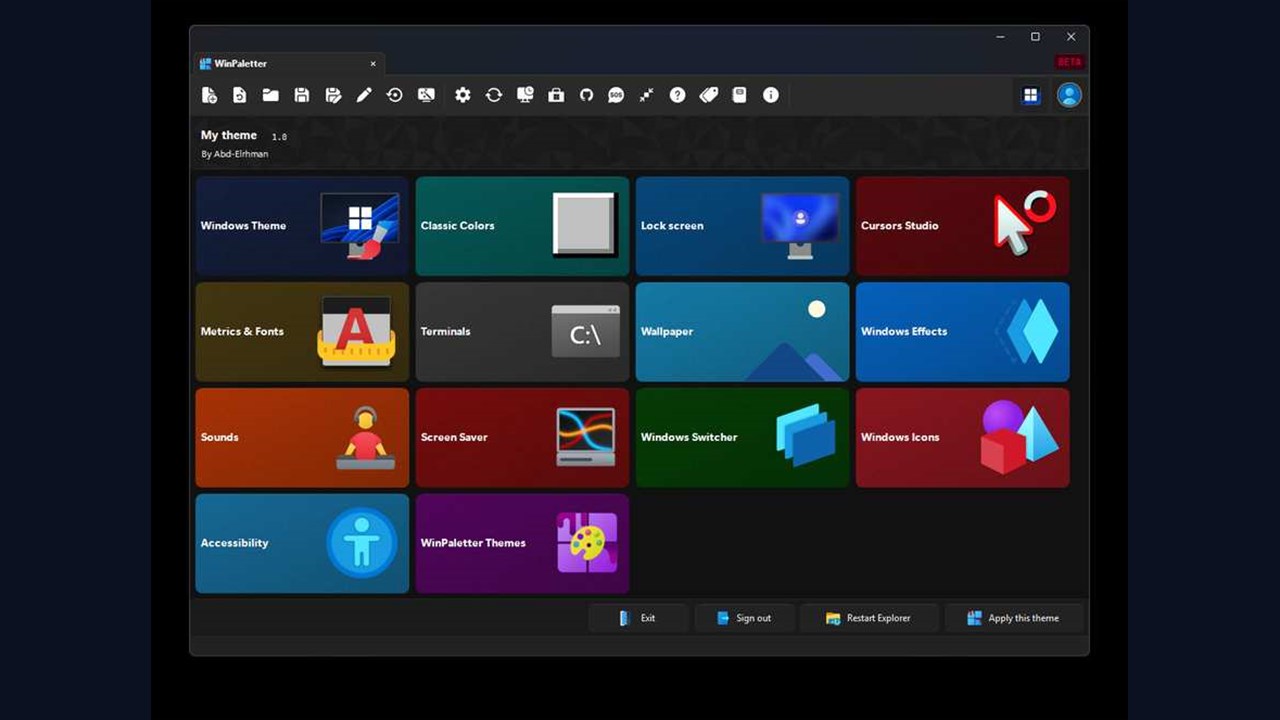
Windows offers a handful of accent colors and calls it personalization. WinPaletter goes much further: pick separate colors for title bars, the taskbar, the Start menu, buttons, links and surfaces, then preview the result on a live mockup of the desktop before applying anything. Palettes save as files, so a setup can be reused, shared or synced between PCs. The app also adjusts classic Win32 elements, supports light and dark arrangements, backs up the current scheme, and can restart Explorer automatically when a change requires it. WinPaletter is free and open source, developed by Abdelrhman-AK with builds for Windows 11 and 10. System Requirements OS: Windows 11 or 10 Source: github.com/Abdelrhman-AK/WinPaletter Download source: the official WinPaletter release on GitHub.
Product Information
- Version: 1.1.0.0
- Platform: Windows
- File Size: 6.9 MB
- Developer: Abdelrhman-AK
- License: Open Source
- Downloads: 0
Frequently Asked Questions
- Is WinPaletter Free Download safe to download from FileXD?
- Yes. Every release of WinPaletter Free Download 1.1.0.0 hosted on FileXD is malware-scanned and verified before publication with a clean direct download link.
- What is the latest version and file size of WinPaletter Free Download?
- The latest version available on FileXD is 1.1.0.0 with a file size of 6.9 MB.
- How do I download WinPaletter Free Download directly?
- Click the Direct Download button on the WinPaletter Free Download page on FileXD to download the verified installer directly at full speed with no registration required.
Direct Download WinPaletter Free Download 1.1.0.0