WinCDEmu Free Download 4.1
Mount ISO, CUE, NRG, MDS/MDF, CCD and IMG disc images as virtual drives with a double-click.
Overview
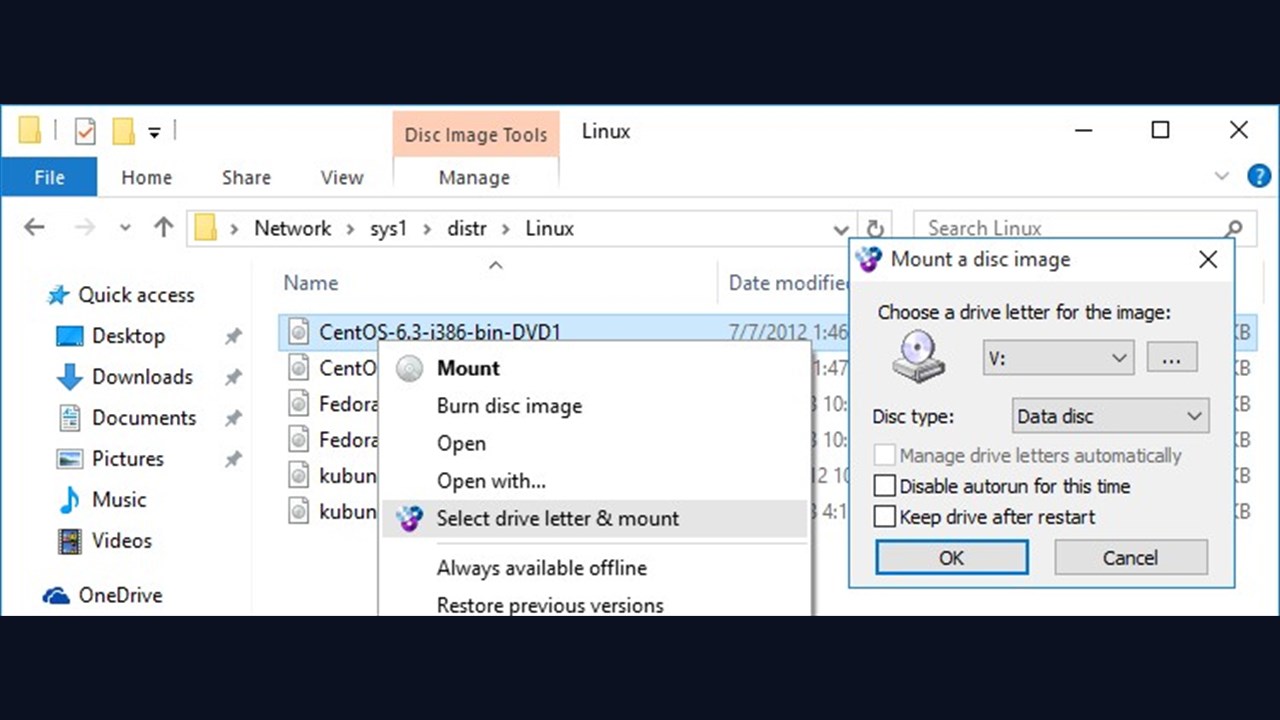
WinCDEmu turns disc image files into real drives without any of the weight of classic virtual drive software. There is no main window to learn and no resident service to babysit: double-click an ISO, CUE, NRG, MDS/MDF, CCD or IMG file in Explorer, pick a drive letter in the small mount dialog, and the image appears in This PC as if the disc were in a physical drive. The details are handled properly. As many images as needed can stay mounted at once, each with its own letter, letters can be assigned automatically or by hand, and a mounted image can be told to survive a restart. Ejecting is the same right-click gesture used for real drives, an ISO can be built straight from a folder or a physical disc through the Explorer menu, and a command line interface (batchmnt) covers scripts and unattended setups. WinCDEmu is free, open source software from Sysprogs, with both installed and portable builds in the same installer, on Windows 11, 10, 8.1, 8 and 7, 64-bit and 32-bit. It is one of the smallest programs in its class, under 2 MB to download. System Requirements OS: Windows 11 / 10 / 8.1 / 8 / 7 (64-bit and 32-bit) Supported images: ISO, CUE, NRG, MDS/MDF, CCD, IMG Install size: about 2 MB; portable mode available from the same installer Source: wincdemu.sysprogs.org Download source: the developer's page at wincdemu.sysprogs.org.
Product Information
- Version: 4.1
- Platform: Windows
- File Size: 1.5 MB
- Developer: Sysprogs
- License: Freeware
- Downloads: 0
Frequently Asked Questions
- Is WinCDEmu Free Download safe to download from FileXD?
- Yes. Every release of WinCDEmu Free Download 4.1 hosted on FileXD is malware-scanned and verified before publication with a clean direct download link.
- What is the latest version and file size of WinCDEmu Free Download?
- The latest version available on FileXD is 4.1 with a file size of 1.5 MB.
- How do I download WinCDEmu Free Download directly?
- Click the Direct Download button on the WinCDEmu Free Download page on FileXD to download the verified installer directly at full speed with no registration required.
Direct Download WinCDEmu Free Download 4.1