Umi-OCR Offline Screenshot and Batch OCR Free Download 2.1.5
Umi-OCR 2.1.5: free offline OCR for screenshots, batches and scanned PDFs, no install needed.
Overview
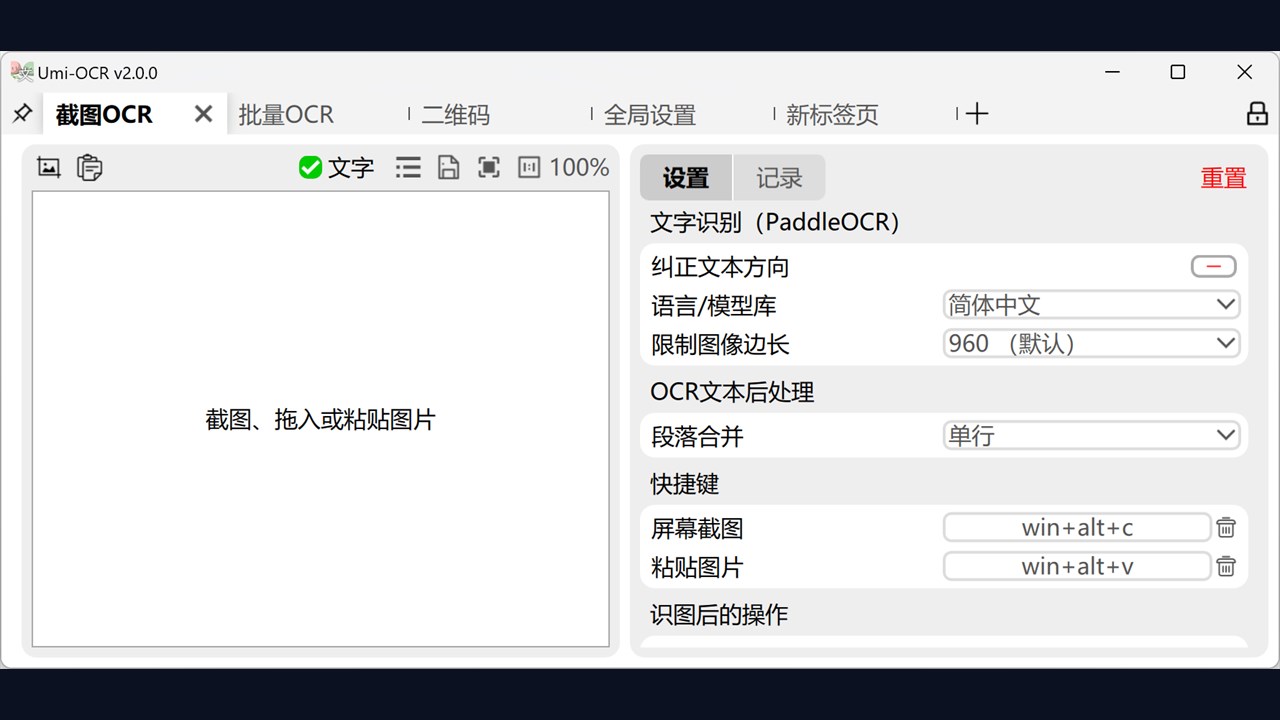
Umi-OCR is a free, open source OCR tool for Windows. It turns screenshots, images and scanned PDFs into text, works fully offline, and needs no installation: you unpack it and run it. This listing covers version 2.1.5. Overview The app has tabs for Screenshot OCR, Batch OCR, QR code, Global settings and a start page. In Screenshot OCR you press a hotkey, drag over any part of the screen, and the recognized text appears next to the image, with a history tab of earlier results. Recognition runs on a built-in engine with several language libraries, so no internet connection or account is needed. The screenshots here come from the project's own documentation and show the Windows interface. Key features Screenshot OCR with a global hotkey (win+alt+c by default) and paste-from-clipboard (win+alt+v). Batch OCR for whole folders of images, with an ignore-area option to skip watermarks. Document recognition: extract text from scanned PDFs or convert them to searchable PDFs. QR codes: scan an image or generate a new code. Layout parsing and paragraph merging, so text comes out in the right reading order. Many languages in the interface and in the recognition libraries, including English, Chinese and Japanese. Command line and HTTP interface for use from scripts and other programs. Themes and a tabbed layout you can adjust in Global settings. Who it is for Students, office workers and researchers who often need text from a picture, a slide, a scanned page or a screen area. It also suit…
Product Information
- Version: 2.1.5
- Platform: Windows
- File Size:
- Developer: hiroi-sora
- License: MIT
- Downloads: 0
Frequently Asked Questions
- Is Umi-OCR Offline Screenshot and Batch OCR Free Download safe to download from FileXD?
- Yes. Every release of Umi-OCR Offline Screenshot and Batch OCR Free Download 2.1.5 hosted on FileXD is malware-scanned and verified before publication with a clean direct download link.
- What is the latest version and file size of Umi-OCR Offline Screenshot and Batch OCR Free Download?
- The latest version available on FileXD is 2.1.5 with a file size of optimized file size.
- How do I download Umi-OCR Offline Screenshot and Batch OCR Free Download directly?
- Click the Direct Download button on the Umi-OCR Offline Screenshot and Batch OCR Free Download page on FileXD to download the verified installer directly at full speed with no registration required.
Direct Download Umi-OCR Offline Screenshot and Batch OCR Free Download 2.1.5