TranslucentTB 2026.2 Free Download 2026.2
Make the Windows 10 and 11 taskbar clear, blurred or acrylic with a tiny tray app that uses only a few MB of RAM.
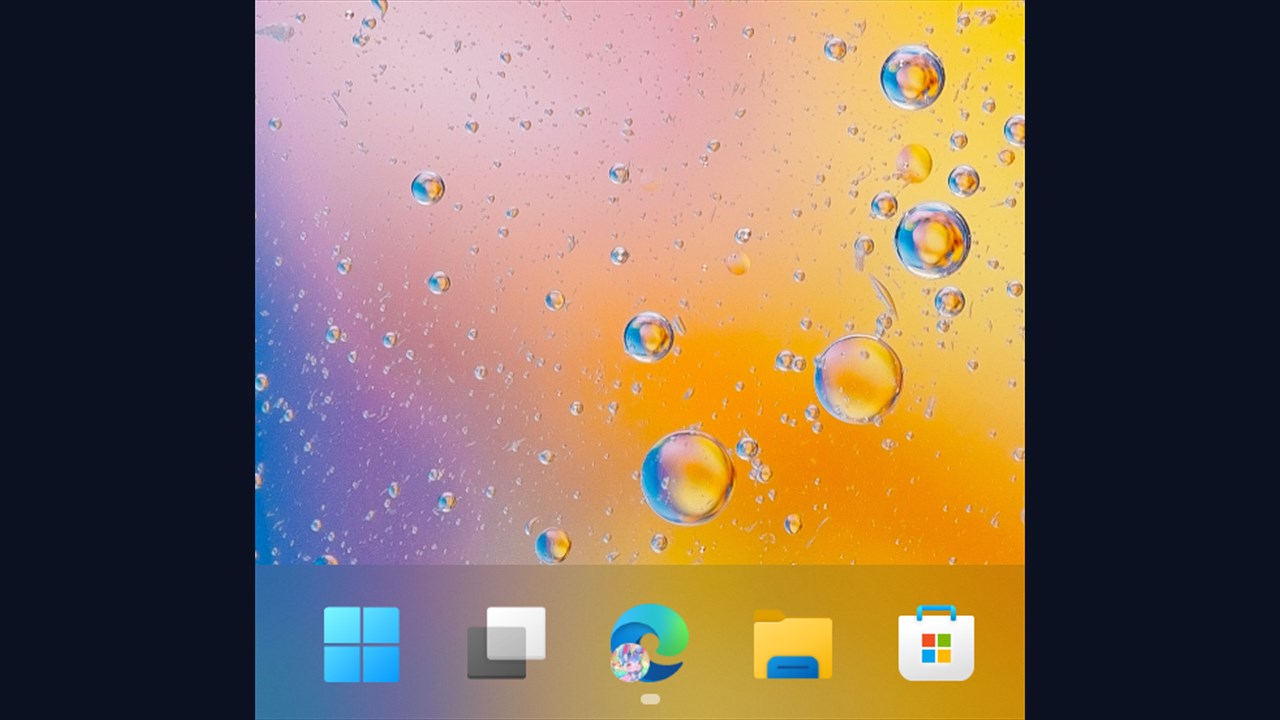
Overview
TranslucentTB is a lightweight tool that makes the Windows 10 and Windows 11 taskbar transparent, blurred or acrylic. It runs in the system tray and uses only a few MB of RAM. You can set a different look for the taskbar when a window is maximized, when the Start menu or search is open, or when a timeline view is showing. Features Clear, blur, acrylic or opaque taskbar styles Different colors and styles per state (maximized window, Start open, Cortana or search open) Works with several monitors and a dynamic taskbar Starts with Windows and lives in the tray with a simple menu Open source under the GPL-3.0 license Requirements Windows 10 version 1909 or later, or Windows 11 (x64 or ARM64). This listing links to the official 2026.2 MSIX bundle on the project's GitHub releases (about 4.0 MB). Portable ZIP builds are on the same release page. Download source: official TranslucentTB GitHub releases
Product Information
- Version: 2026.2
- Platform: Windows
- File Size: 4.0 MB
- Developer: TranslucentTB
- License: Free / Open Source
- Downloads: 0
Frequently Asked Questions
- Is TranslucentTB 2026.2 Free Download safe to download from FileXD?
- Yes. Every release of TranslucentTB 2026.2 Free Download 2026.2 hosted on FileXD is malware-scanned and verified before publication with a clean direct download link.
- What is the latest version and file size of TranslucentTB 2026.2 Free Download?
- The latest version available on FileXD is 2026.2 with a file size of 4.0 MB.
- How do I download TranslucentTB 2026.2 Free Download directly?
- Click the Direct Download button on the TranslucentTB 2026.2 Free Download page on FileXD to download the verified installer directly at full speed with no registration required.
Direct Download TranslucentTB 2026.2 Free Download 2026.2