SoundVolumeView Free Download 2.53
Free tool to view and change the volume of every app and audio device on Windows, with mute and hotkey control.
Overview
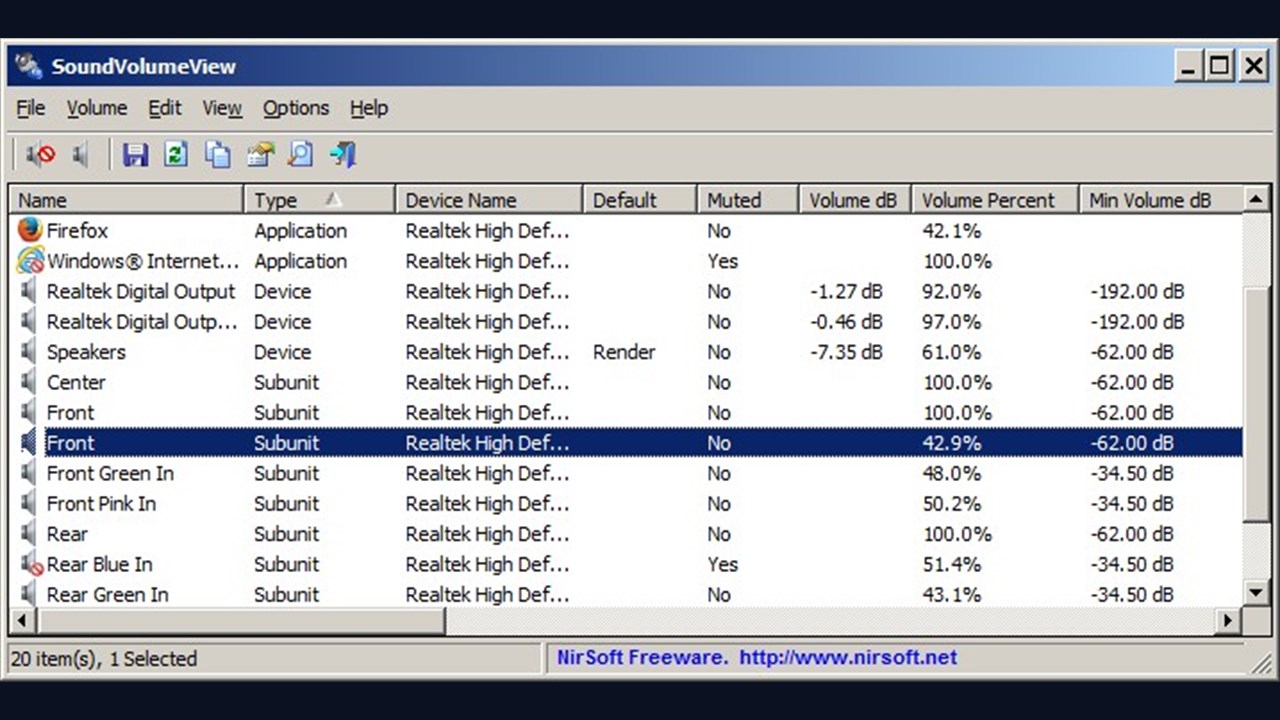
SoundVolumeView lists every active application, playback device, recording device and audio sub-unit on the system in one table, with its current volume in both dB and percent, its mute state and its default status. Any item can be muted, unmuted, set as the default device or raised and lowered in place, which makes it a fast way to quiet one browser tab or game without touching the others. The real power is in automation: every action the window offers is also a command-line switch, so shortcuts and scripts can mute the microphone, switch the default speakers or apply a whole volume layout at startup. Volume states can be saved to a profile file and restored later, and hotkeys assigned through Windows shortcuts turn multi-step audio changes into a single keypress. SoundVolumeView is free, portable freeware from NirSoft: one small executable, no installation, no ads. The file here is the official 64-bit 2.53 zip from nirsoft.net, released June 30, 2026; its SHA-256 matches the hash published on NirSoft's hash check page: ee2c45553fb9fb31b71db88b537c18e25c1a387a4a9009d081bdb38265c68e1f. System Requirements The official vendor page does not publish minimum hardware requirements for this program. OS: Windows 11 / 10 / 8 / 7 (64-bit) License: Freeware Type: Portable (no installation) Source: nirsoft.net Download source: nirsoft.net; the SHA-256 matches NirSoft's published hash check page.
Product Information
- Version: 2.53
- Platform: Windows
- File Size: 122 KB
- Developer: NirSoft
- License: Freeware
- Downloads: 0
Frequently Asked Questions
- Is SoundVolumeView Free Download safe to download from FileXD?
- Yes. Every release of SoundVolumeView Free Download 2.53 hosted on FileXD is malware-scanned and verified before publication with a clean direct download link.
- What is the latest version and file size of SoundVolumeView Free Download?
- The latest version available on FileXD is 2.53 with a file size of 122 KB.
- How do I download SoundVolumeView Free Download directly?
- Click the Direct Download button on the SoundVolumeView Free Download page on FileXD to download the verified installer directly at full speed with no registration required.
Direct Download SoundVolumeView Free Download 2.53