Snipaste Free Download 2.11.3
A snipping tool that also pins screenshots back onto the screen as floating, always-on-top windows.
Overview
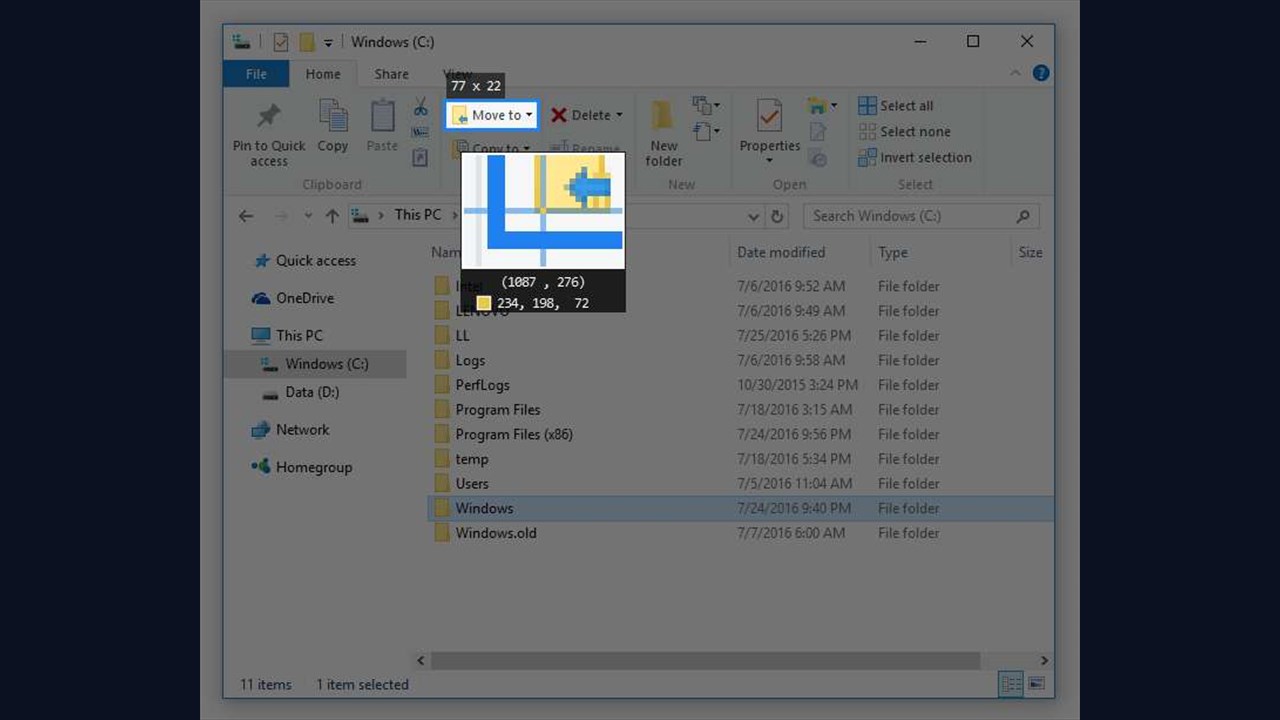
Snipaste starts where the built-in snipping tools stop. Press F1 and drag across anything on screen: the crosshair snaps to window and control edges by itself, a magnifier shows exact pixels with RGB, HSL and HEX values, and arrow keys nudge the selection one pixel at a time. The captured region can be annotated on the spot with rectangles, ellipses, arrows, lines, pencil, marker, mosaic blur, text and eraser before it lands on the clipboard. The signature trick comes after the capture: press F3 and the image returns to the screen as a floating window that stays above everything else. Reference a color palette while you paint, keep a specification visible while you code, or pin a map beside a game. Floating windows support zoom, rotation, flipping, transparency, click-through mode and thumbnails, and groups keep several pinned shots organized. Anything in the clipboard, text, color values or files, can be pasted as a window too. Snipaste 2 is free for personal use from developer Arthur Liu, with optional Pro features on the website. The download here is the official portable zip for 64-bit Windows: unpack it anywhere and run Snipaste.exe, no installation step needed, and settings stay inside the folder. System Requirements OS: Windows 11 / 10 / 8.1 / 7 (64-bit; 32-bit and ARM64 builds on the same page) Package: portable zip; no installation required Hotkeys: F1 to snip, F3 to paste as floating window (customizable) Source: snipaste.com Download source: the developer's downlo…
Product Information
- Version: 2.11.3
- Platform: Windows
- File Size: 18.6 MB
- Developer: Arthur Liu (Snipaste)
- License: Freeware
- Downloads: 0
Frequently Asked Questions
- Is Snipaste Free Download safe to download from FileXD?
- Yes. Every release of Snipaste Free Download 2.11.3 hosted on FileXD is malware-scanned and verified before publication with a clean direct download link.
- What is the latest version and file size of Snipaste Free Download?
- The latest version available on FileXD is 2.11.3 with a file size of 18.6 MB.
- How do I download Snipaste Free Download directly?
- Click the Direct Download button on the Snipaste Free Download page on FileXD to download the verified installer directly at full speed with no registration required.
Direct Download Snipaste Free Download 2.11.3