Sidebar Diagnostics Free Download 3.6.3
Watch CPU, GPU, RAM and drive stats in a slim bar docked to the edge of your screen.
Overview
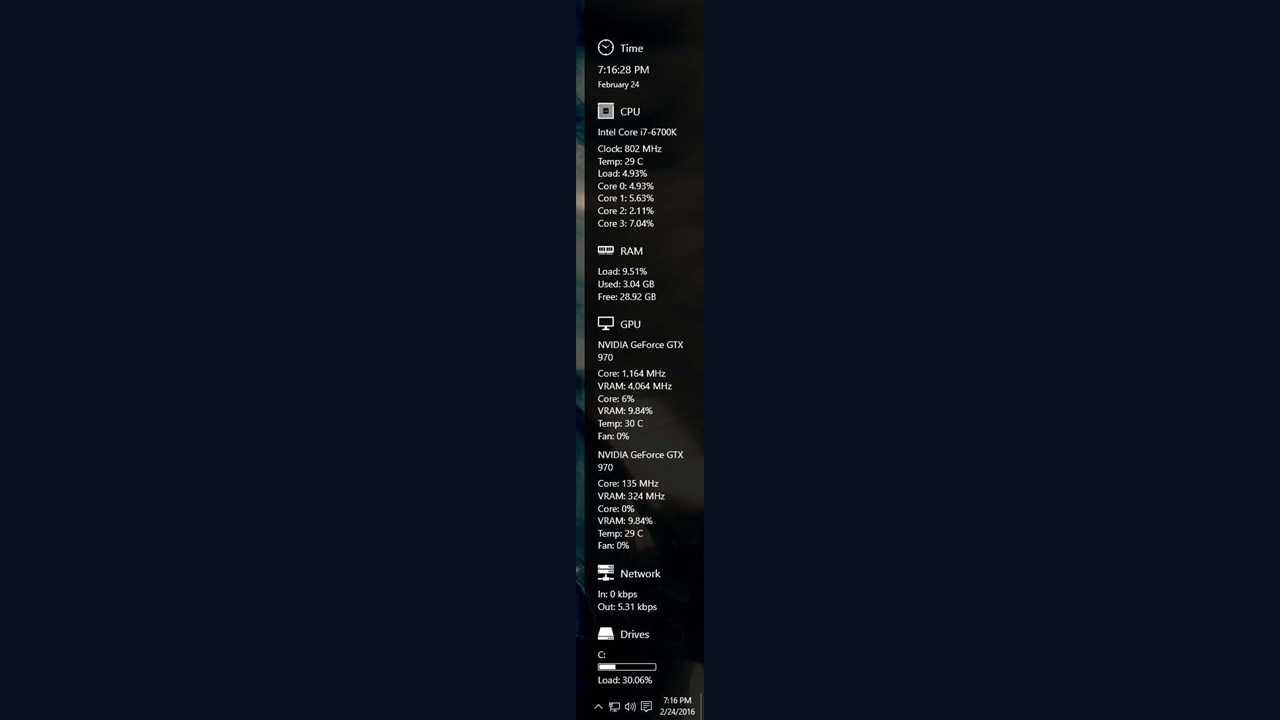
Ever wonder what your PC is doing while you work or play? Sidebar Diagnostics docks a slim monitoring bar to any screen edge and keeps temperatures, clock speeds, load percentages, network throughput and drive activity in view at all times. The bar is deeply configurable: choose the sensors to display, set alert colors for hot hardware, pick graph styles, and adjust width, font and opacity. It can reserve screen space so maximized windows slide aside instead of covering it, and multi-monitor setups can run an instance on each display. The project is free and open source, built on LibreHardwareMonitor, and maintained by ArcadeRenegade on GitHub. System Requirements OS: Windows 11, 10, 8.1, 8 or 7 Framework: .NET Framework 4.7.2 or later Rights: Runs as administrator Source: the project documentation on GitHub Download source: the official GitHub releases page for Sidebar Diagnostics.
Product Information
- Version: 3.6.3
- Platform: Windows
- File Size: 3.7 MB
- Developer: Ryan Knispel
- License: Open Source
- Downloads: 0
Frequently Asked Questions
- Is Sidebar Diagnostics Free Download safe to download from FileXD?
- Yes. Every release of Sidebar Diagnostics Free Download 3.6.3 hosted on FileXD is malware-scanned and verified before publication with a clean direct download link.
- What is the latest version and file size of Sidebar Diagnostics Free Download?
- The latest version available on FileXD is 3.6.3 with a file size of 3.7 MB.
- How do I download Sidebar Diagnostics Free Download directly?
- Click the Direct Download button on the Sidebar Diagnostics Free Download page on FileXD to download the verified installer directly at full speed with no registration required.
Direct Download Sidebar Diagnostics Free Download 3.6.3