Samsung Notes 4.3.831.0
Samsung Notes for Windows: Samsung's official note-taking app with handwriting, PDF annotation and Galaxy sync, via the Microsoft Store.
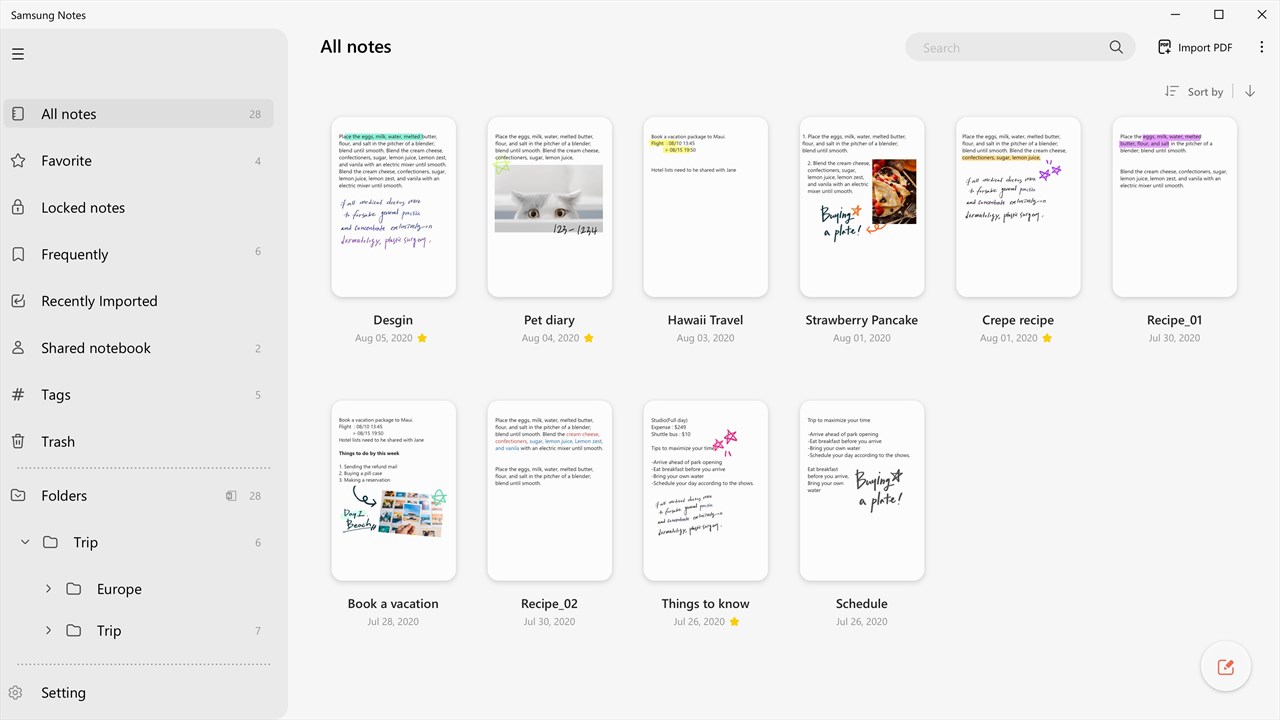
Overview
(Samsung Notes is optimized for Samsung Galaxy Books. Other computers may have issues running it.) \u0022Samsung Notes allows you to use the enhanced S Pen to write or draw, and save files to the Cloud. You can use the S Pen to create notes that contain notes, memos, images, voices or music on Samsung Notes. Try creating a new note. You can create a new note by tapping \u002B at the bottom right o This listing is delivered through the official Microsoft Store: the download button opens the Samsung Notes page on apps.microsoft.com, where the Store app installs the current version directly from Samsung Electronics Co., Ltd.. The app is free; the Store always serves the latest release, and the version shown was current when this listing was published. System Requirements The official vendor page does not publish minimum hardware requirements for this program. OS: Windows 10/11 (installs via the Microsoft Store) License: Free Source: https://www.samsung.com/ Download source: the official Microsoft Store listing for Samsung Notes.
Product Information
- Version: 4.3.831.0
- Platform: Windows
- File Size: 709.3 MB
- Developer: Samsung Electronics Co., Ltd.
- License: Freeware
- Downloads: 0
Frequently Asked Questions
- Is Samsung Notes safe to download from FileXD?
- Yes. Every release of Samsung Notes 4.3.831.0 hosted on FileXD is malware-scanned and verified before publication with a clean direct download link.
- What is the latest version and file size of Samsung Notes?
- The latest version available on FileXD is 4.3.831.0 with a file size of 709.3 MB.
- How do I download Samsung Notes directly?
- Click the Direct Download button on the Samsung Notes page on FileXD to download the verified installer directly at full speed with no registration required.
Direct Download Samsung Notes 4.3.831.0