NetSpeedTray Taskbar Network Monitor Free Download 2.2.1
NetSpeedTray 2.2.1: free taskbar widget showing live network speed, CPU, GPU and data usage for Windows.
Overview
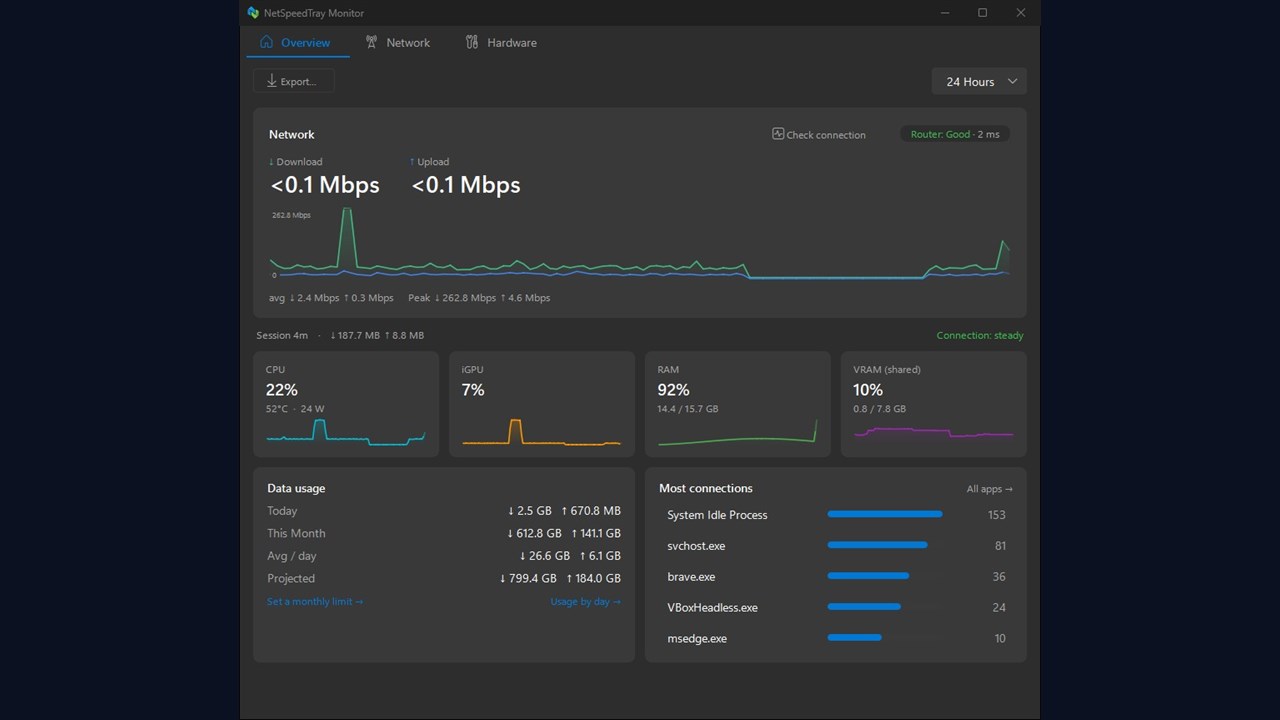
NetSpeedTray is a free, open source taskbar widget for Windows. It shows your live upload and download speeds next to the clock, and can add CPU, GPU, RAM, VRAM, temperature and power draw. Double-click the widget to open a Monitor window with history charts and per-app activity. This listing covers version 2.2.1. Overview Windows shows network usage in Task Manager, but only while that window is open. NetSpeedTray keeps the numbers on your taskbar so you can glance at them. Hover the widget for a card with today's and this month's data use. The Monitor has three tabs: Overview, Network and Hardware. The screenshots show the Overview tab, the General settings page and the Hardware tab with a process list. Key features Live network speeds updated every second, or twice a second if you choose. Hardware stats: CPU and GPU load for NVIDIA, AMD and Intel, with optional temperature, power, RAM and VRAM. Taskbar fit: works with a bottom, top, left or right taskbar and the Windows 11 small taskbar. Data usage: totals by day, month and year, with a monthly cap and alerts at 80 and 100 percent. Latency check: a light probe of your router with a plain Good, OK or Slow verdict. Mini graph: Trend or Detailed, with split upload and download graphs. Themes: colors, fonts and arrows, following Windows light and dark mode. Export: statistics to CSV or JSON. Privacy: no ads and no telemetry, and logs hide paths, IP addresses and adapter names. Who it is for Anyone who wants a quick view of ne…
Product Information
- Version: 2.2.1
- Platform: Windows
- File Size:
- Developer: erez-c137
- License: GPL-3.0
- Downloads: 0
Frequently Asked Questions
- Is NetSpeedTray Taskbar Network Monitor Free Download safe to download from FileXD?
- Yes. Every release of NetSpeedTray Taskbar Network Monitor Free Download 2.2.1 hosted on FileXD is malware-scanned and verified before publication with a clean direct download link.
- What is the latest version and file size of NetSpeedTray Taskbar Network Monitor Free Download?
- The latest version available on FileXD is 2.2.1 with a file size of optimized file size.
- How do I download NetSpeedTray Taskbar Network Monitor Free Download directly?
- Click the Direct Download button on the NetSpeedTray Taskbar Network Monitor Free Download page on FileXD to download the verified installer directly at full speed with no registration required.
Direct Download NetSpeedTray Taskbar Network Monitor Free Download 2.2.1