Monitorian Free Download 4.16.14
Adjust the brightness of all your monitors from the system tray.
Overview
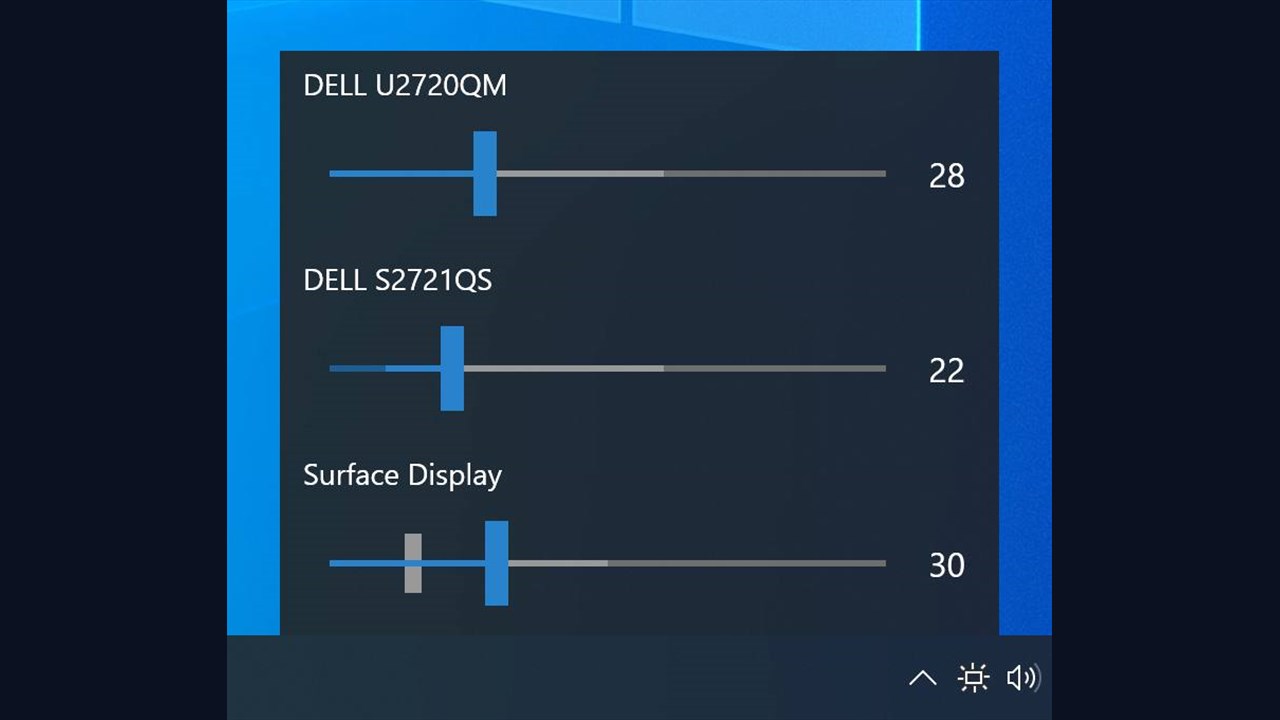
Monitorian is the popular free tool that lets you adjust the brightness of all your monitors right from the system tray. Change the brightness of every connected monitor with simple sliders, including external monitors over DDC/CI, adjust all monitors at once in unison, control contrast as well as brightness, use hotkeys for instant adjustments, rename monitors to keep them organized, and keep it light: the app sits quietly in the tray and uses almost no resources. Free and open source. System Requirements The official vendor page does not publish minimum hardware requirements for this program. OS: Windows 10 or later Storage: about 20 MB free Other: DDC/CI compatible external monitor for brightness control Source: github.com/emoacht/Monitorian Download source: Monitorian official GitHub releases (emoacht/Monitorian).
Product Information
- Version: 4.16.14
- Platform: Windows
- File Size: 0.5 MB
- Developer: emoacht
- License: Free / Open Source
- Downloads: 0
Frequently Asked Questions
- Is Monitorian Free Download safe to download from FileXD?
- Yes. Every release of Monitorian Free Download 4.16.14 hosted on FileXD is malware-scanned and verified before publication with a clean direct download link.
- What is the latest version and file size of Monitorian Free Download?
- The latest version available on FileXD is 4.16.14 with a file size of 0.5 MB.
- How do I download Monitorian Free Download directly?
- Click the Direct Download button on the Monitorian Free Download page on FileXD to download the verified installer directly at full speed with no registration required.
Direct Download Monitorian Free Download 4.16.14