Microsoft Azure Storage Explorer Free Download 1.47.1
Microsoft Azure Storage Explorer 1.47.1: free desktop app to browse and manage Azure blobs, files, queues and tables on Windows.
Overview
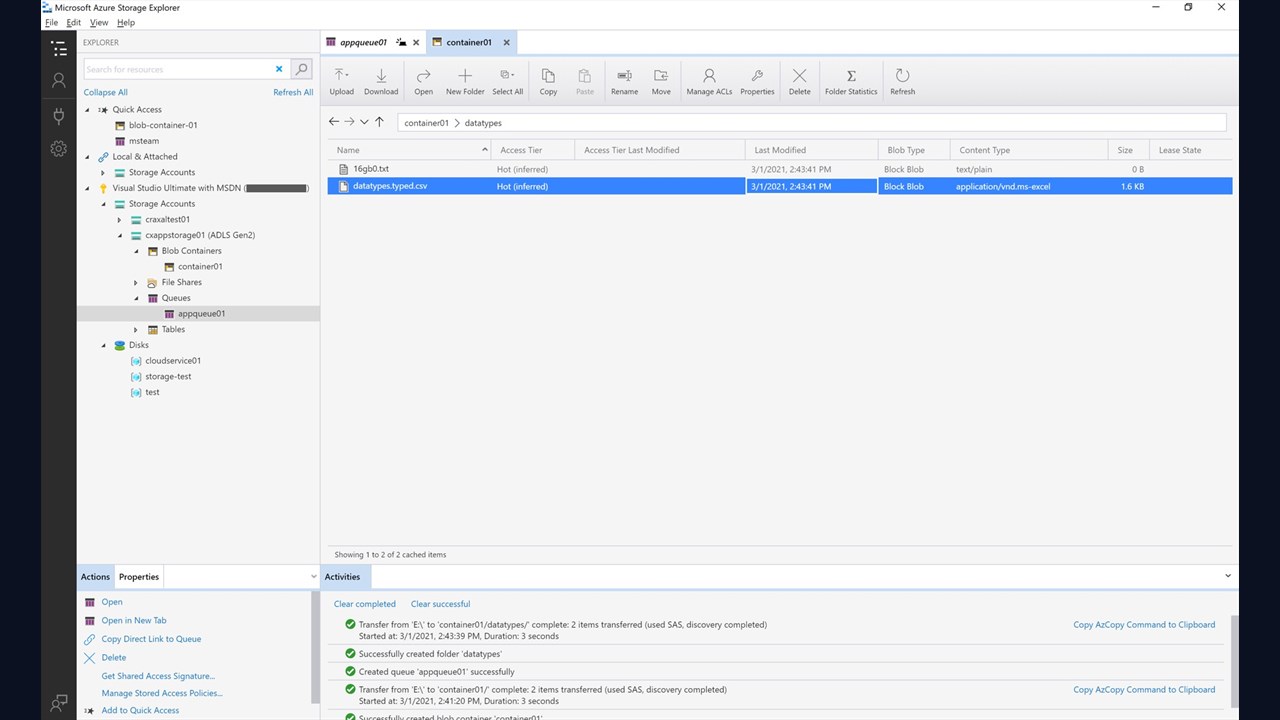
Microsoft Azure Storage Explorer is a free standalone desktop app from Microsoft for working with Azure Storage data. Instead of using the Azure portal or command-line tools, you browse your storage accounts, blob containers, file shares, queues and tables in a tree and manage their contents with a familiar explorer-style window. This listing covers Storage Explorer 1.47.1, the current release on the official GitHub releases page. Overview Microsoft's documentation describes Storage Explorer as a standalone app that makes it easy to work with Azure Storage data on Windows, macOS and Linux. The Windows build installs like any desktop program and signs in to Azure with your Microsoft account, so the subscriptions you already have appear in the left-hand tree. You can also attach a single storage resource, such as a blob container, a file share, a queue or a table, without signing in to the whole subscription. Key features Browse Azure Storage: blob containers, ADLS Gen2 containers and directories, file shares, queues and tables in one tree. Sign in or attach: sign in to Azure to see your subscriptions, or attach to an individual resource. The connect dialog offers subscription, storage account, blob container, ADLS Gen2, file share, queue, table and local storage emulator options. Account management: choose which subscriptions are shown for each signed-in account. Local emulator support: attach to resources managed by a local storage emulator for development. Quick Access and…
Product Information
- Version: 1.47.1
- Platform: Windows
- File Size: 177.8 MB
- Developer: Microsoft
- License: Freeware
- Downloads: 0
Frequently Asked Questions
- Is Microsoft Azure Storage Explorer Free Download safe to download from FileXD?
- Yes. Every release of Microsoft Azure Storage Explorer Free Download 1.47.1 hosted on FileXD is malware-scanned and verified before publication with a clean direct download link.
- What is the latest version and file size of Microsoft Azure Storage Explorer Free Download?
- The latest version available on FileXD is 1.47.1 with a file size of 177.8 MB.
- How do I download Microsoft Azure Storage Explorer Free Download directly?
- Click the Direct Download button on the Microsoft Azure Storage Explorer Free Download page on FileXD to download the verified installer directly at full speed with no registration required.
Direct Download Microsoft Azure Storage Explorer Free Download 1.47.1