FastCopy Free Download 5.12.0
FastCopy is the fastest copy and backup software on Windows: multithreaded copying, verification and filters that beat Explorer on every large transfer.
Overview
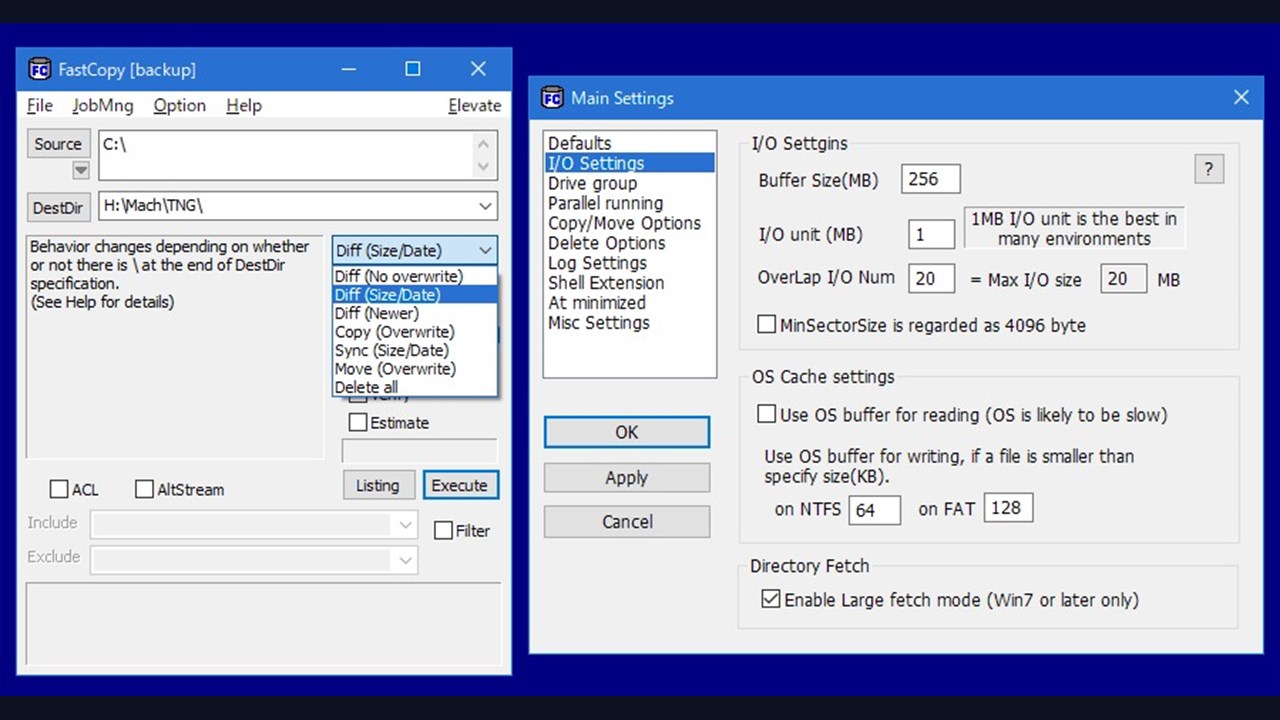
FastCopy is built for one job: moving and copying files on Windows as fast as the hardware allows. Where Explorer slows to a crawl on folders with thousands of small files, FastCopy reads, writes and verifies in parallel threads with direct and overlapped I/O, so transfers finish in a fraction of the time. In benchmark tests on fast SSDs and 10 GbE networks it sustains speeds Explorer cannot reach. Pick a source and a destination, choose a mode, and run. Modes cover diff copy by size and date, diff by newer files only, full overwrite copy, sync, move, and delete, plus a verify mode that hashes each copied file so you know the copy is bit-perfect. Include and exclude filters use wildcards, so backing up only certain file types or skipping system folders takes one line. Long paths beyond the 260 character limit and Unicode file names work without trouble. FastCopy integrates with the Explorer right-click menu, supports drag and drop, records a job history for repeat backups, and can run from the command line for scripted tasks. The program is tiny, installs in seconds and runs on Windows 7 through 11, 32 and 64 bit. FastCopy is free for personal use from FastCopy Lab; a Pro license is required for workplace use. The download here is the official release from fastcopy.jp. System Requirements OS: Windows 11 / 10 / 8.1 / 8 / 7 (32 and 64-bit) Account: none needed Notes: free for personal use; workplace use requires the Pro license Source: fastcopy.jp Download source: the vendor's…
Product Information
- Version: 5.12.0
- Platform: Windows
- File Size: 4.9 MB
- Developer: FastCopy Lab
- License: Freeware
- Downloads: 0
Frequently Asked Questions
- Is FastCopy Free Download safe to download from FileXD?
- Yes. Every release of FastCopy Free Download 5.12.0 hosted on FileXD is malware-scanned and verified before publication with a clean direct download link.
- What is the latest version and file size of FastCopy Free Download?
- The latest version available on FileXD is 5.12.0 with a file size of 4.9 MB.
- How do I download FastCopy Free Download directly?
- Click the Direct Download button on the FastCopy Free Download page on FileXD to download the verified installer directly at full speed with no registration required.
Direct Download FastCopy Free Download 5.12.0