Xcode 27.2 for Mac 27.2
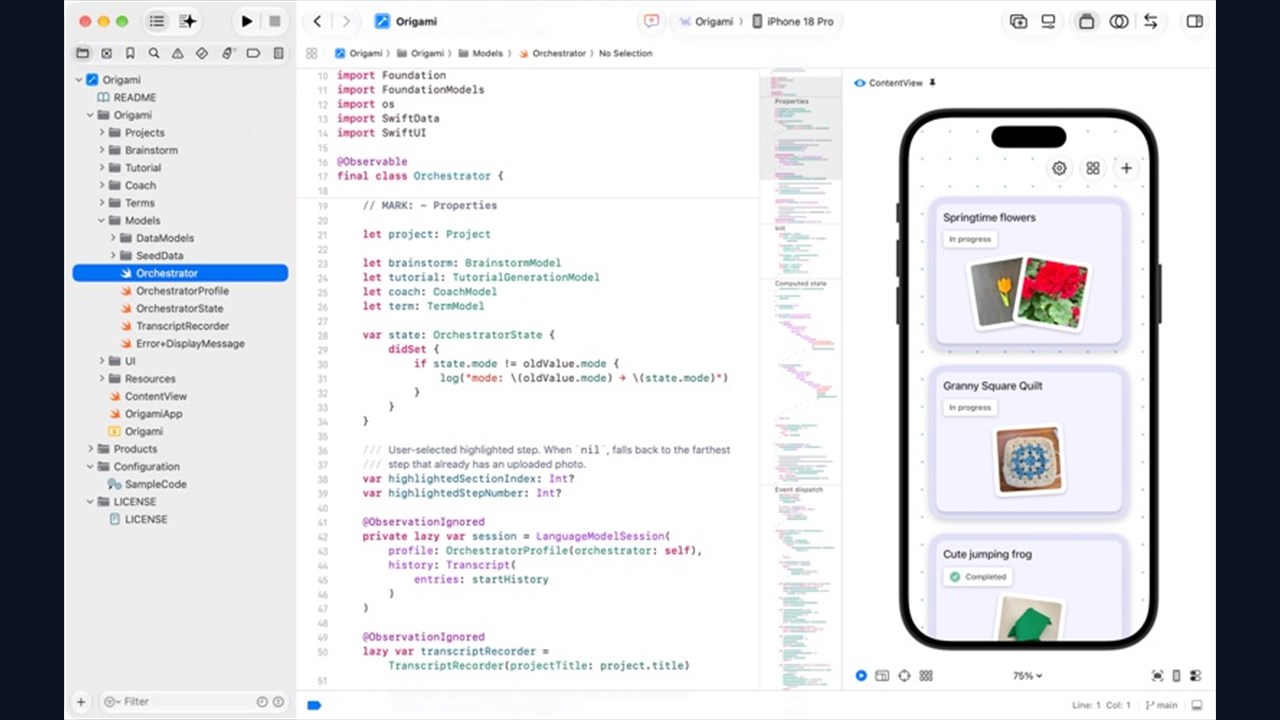
Xcode brings code editing, building, debugging, previews, device testing and performance analysis into an Apple-platform development workflow.
Overview
Xcode brings code editing, building, debugging, previews, device testing and performance analysis into an Apple-platform development workflow. Write Swift or supported C-family code, inspect issues, run apps on compatible devices or simulators, and use Instruments to investigate resource use. The included tools also cover interface work, icon design, accessibility inspection and model creation. Key features Swift and supported C-family development Code editing and debugging Previews and Device Hub Apple platform SDKs Instruments performance analysis Accessibility and icon-design tools System requirements macOS 26.6 or later. Good to know Installation is through the official Mac App Store. The download button opens Apple's store listing rather than a standalone DMG, ZIP, PKG or XIP archive. No standalone package was downloaded, and no package hash was downloaded or verified for this store-only listing. Additional platform components, simulators, caches, build products and project files need substantial extra storage. Download size, availability and requirements can change by version and region. Xcode is a free Apple development application under Apple's license terms; not every included component has the same license, and the IDE is not presented as a wholly open-source product. An Apple Account may be requested to obtain the app. Apple states that a free Apple Account can be used to test or run apps on an Apple device; App Store submission requires Apple Developer Program me…
Product Information
- Version: 27.2
- Platform: Mac
- File Size: 3.12 GB
- Developer: Apple
- License: Freeware
- Downloads: 0
Frequently Asked Questions
- Is Xcode 27.2 for Mac safe to download from FileXD?
- Yes. Every release of Xcode 27.2 for Mac 27.2 hosted on FileXD is malware-scanned and verified before publication with a clean direct download link.
- What is the latest version and file size of Xcode 27.2 for Mac?
- The latest version available on FileXD is 27.2 with a file size of 3.12 GB.
- How do I download Xcode 27.2 for Mac directly?
- Click the Direct Download button on the Xcode 27.2 for Mac page on FileXD to download the verified installer directly at full speed with no registration required.
Direct Download Xcode 27.2 for Mac 27.2