Radix Disk Analyzer for Mac 1.8.0
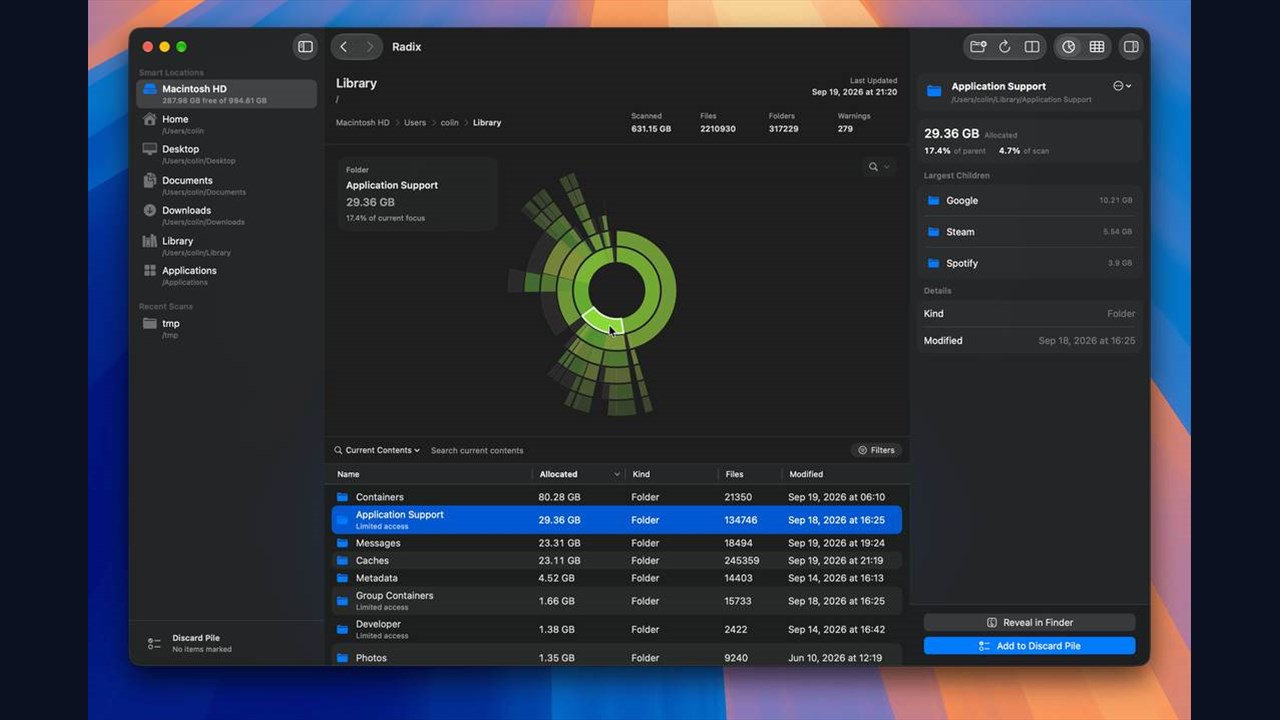
Find out what is eating your disk with a sunburst chart, a treemap and a sortable file list. Radix is a free, open-source disk space analyzer for macOS.
Overview
When the Mac says the disk is full, Radix shows where the space went. Scan a volume or a folder and explore the result as a sunburst chart, a treemap or a plain list sorted by size, with a side panel that lists the biggest items inside whatever you select. Items you want to remove go onto a discard pile first, so nothing is deleted until you decide. A comparison view scans the same location twice and lists which folders grew or shrank in between, which is handy for tracking down a cache or a log that keeps growing. The app also warns you when macOS privacy settings hide part of a folder from the scan. Radix is open source and available in several languages. System Requirements OS: macOS 14 or later Source: the app's Info.plist (minimum system version) Download source: official Radix GitHub release (SHA256 matches the Homebrew Cask index).
Product Information
- Version: 1.8.0
- Platform: Mac
- File Size: 7.69 MB
- Developer: Colin Kim
- License: Open Source
- Downloads: 0
Frequently Asked Questions
- Is Radix Disk Analyzer for Mac safe to download from FileXD?
- Yes. Every release of Radix Disk Analyzer for Mac 1.8.0 hosted on FileXD is malware-scanned and verified before publication with a clean direct download link.
- What is the latest version and file size of Radix Disk Analyzer for Mac?
- The latest version available on FileXD is 1.8.0 with a file size of 7.69 MB.
- How do I download Radix Disk Analyzer for Mac directly?
- Click the Direct Download button on the Radix Disk Analyzer for Mac page on FileXD to download the verified installer directly at full speed with no registration required.
Direct Download Radix Disk Analyzer for Mac 1.8.0