OmniDiskSweeper 1.16 for Mac 1.16
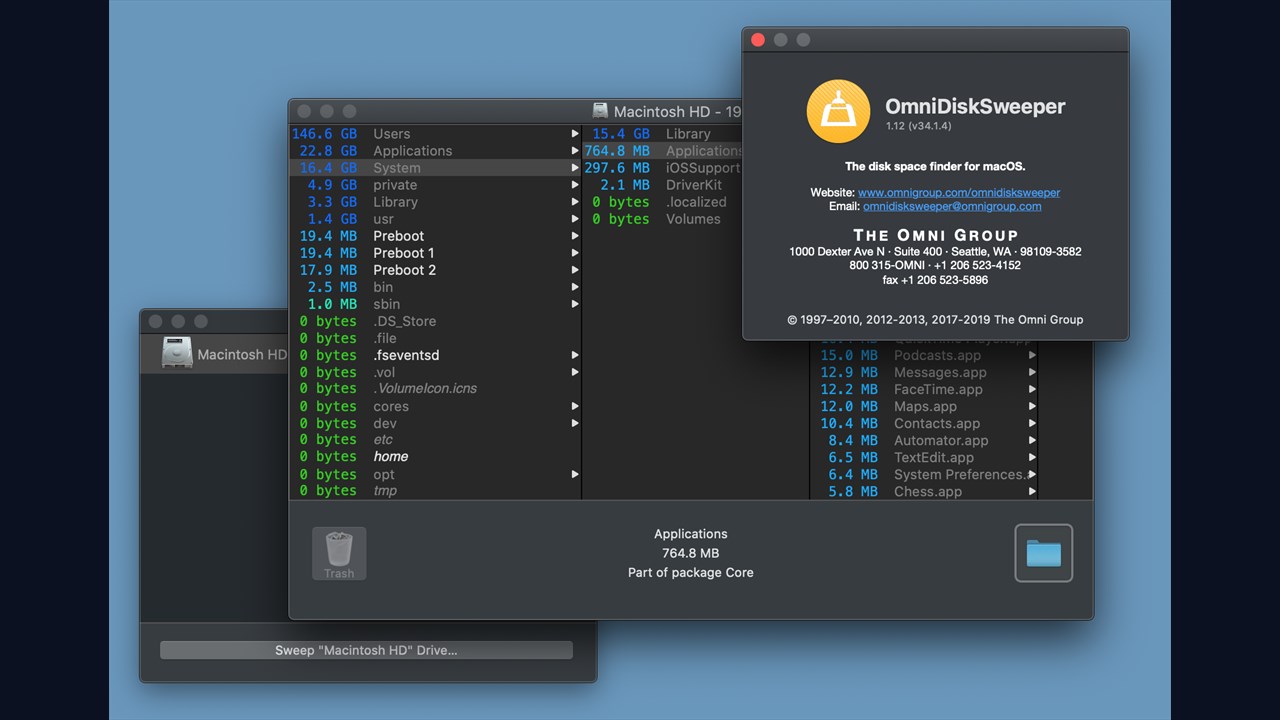
Find large files and folders before deciding what to remove. OmniDiskSweeper scans a selected drive or folder and lists its contents by size.
Overview
OmniDiskSweeper scans a selected drive or folder and lists its contents by size. What you can do with OmniDiskSweeper Size-sorted file browser Folder-by-folder inspection Drive scanning Open selected items Move items to Trash Mac desktop interface A column-based browser lets you follow large folders down to individual files, open selected items, and move unwanted items to the Trash. It is a disk-space inspection tool, not an automatic cleaner. Requirements and compatibility macOS 11 or later. Notes on use The vendor download is supplied directly by The Omni Group rather than a third-party download wrapper. OmniDiskSweeper is freeware. It does not include paid Omni applications or a subscription to other Omni services. Choose a drive or folder to inspect, allow the scan to finish, and follow the largest entries to see where space is being used. Size estimates can remain incomplete while scanning or when access is restricted. macOS may request access to protected locations because their files contribute to the scan. Grant only permissions that fit the folders you actually need to inspect. An inaccessible folder is not proof that it is empty. The column browser helps distinguish a large folder from the files inside it. Opening a selected item can help identify what it belongs to, but a large size alone does not make a file safe to remove. Check the path, owning application and purpose before changing it. Keep backups of important documents and projects. Do not remove system fil…
Product Information
- Version: 1.16
- Platform: Mac
- File Size: 8.4 MB
- Developer: The Omni Group
- License: Freeware
- Downloads: 0
Frequently Asked Questions
- Is OmniDiskSweeper 1.16 for Mac safe to download from FileXD?
- Yes. Every release of OmniDiskSweeper 1.16 for Mac 1.16 hosted on FileXD is malware-scanned and verified before publication with a clean direct download link.
- What is the latest version and file size of OmniDiskSweeper 1.16 for Mac?
- The latest version available on FileXD is 1.16 with a file size of 8.4 MB.
- How do I download OmniDiskSweeper 1.16 for Mac directly?
- Click the Direct Download button on the OmniDiskSweeper 1.16 for Mac page on FileXD to download the verified installer directly at full speed with no registration required.
Direct Download OmniDiskSweeper 1.16 for Mac 1.16