CopyQ 17.0.0 for Mac Free Download 17.0.0
Store, organize and edit clipboard items in tabs. (CopyQ for Mac)
Overview
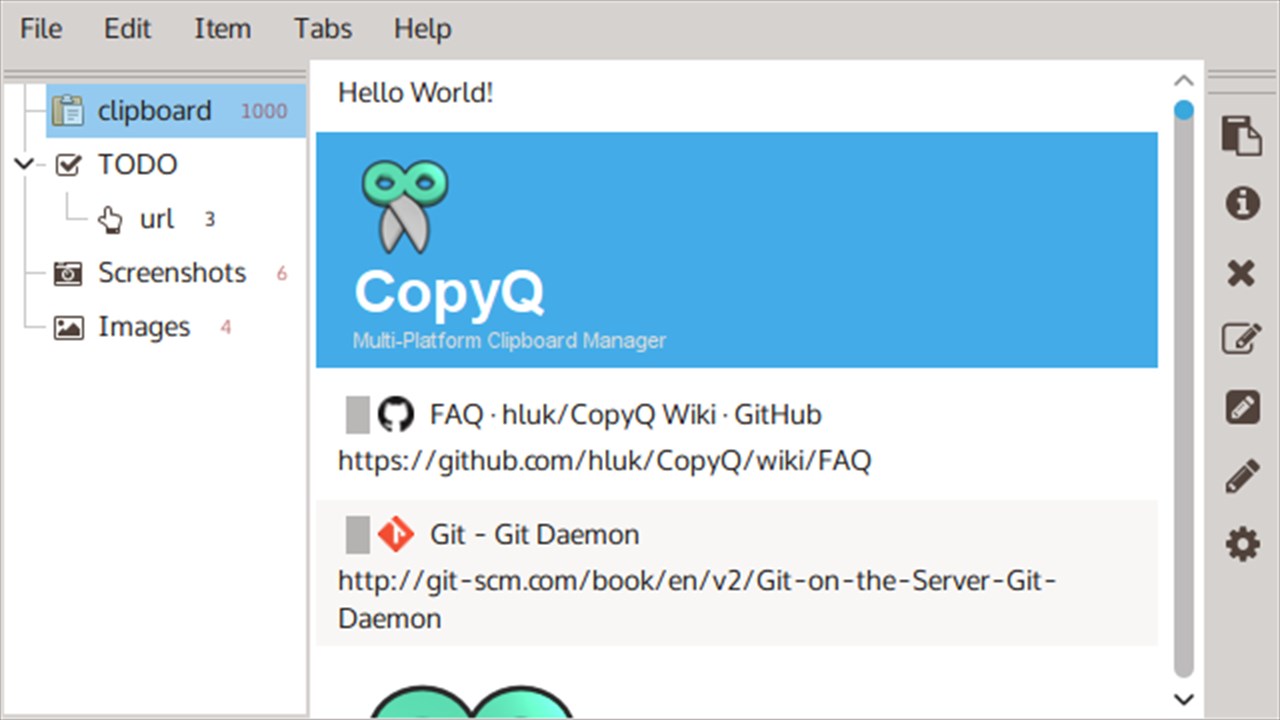
Store, organize and edit clipboard items in tabs. Current release: CopyQ 17.0.0, a 36.8 MB download. Why people use CopyQ CopyQ records clipboard content and makes saved items available for reuse. Tabs separate collections, an editor changes text items, and search helps find earlier content. Scripting and commands can extend workflows beyond simple clipboard history. Features Clipboard history Tabbed collections Item editing Search Scripting Reusable clipboard items Compatibility Operating system: macOS 13 or later; Apple Silicon for this download. Other requirements: Allow storage for the application and working files. No verified numeric RAM or GPU minimum is claimed here. Separate accounts, runtimes or tools may be needed as described above. Source: official CopyQ website, project documentation and package metadata. Image: official interface example; may show an earlier release or another operating system. Usage and package notes CopyQ is free and open source. This is official 17.0.0 for Apple Silicon; native metadata shows short version 17.0 and full version 17.0.0. Clipboard history can retain passwords or other sensitive content, so configure exclusions and clear private items. Review scripts before enabling them. The official screenshot shows an earlier non-Mac interface.
Product Information
- Version: 17.0.0
- Platform: Mac
- File Size: 36.8 MB
- Developer: Lukas Holecek and contributors
- License: Open Source
- Downloads: 0
Frequently Asked Questions
- Is CopyQ 17.0.0 for Mac Free Download safe to download from FileXD?
- Yes. Every release of CopyQ 17.0.0 for Mac Free Download 17.0.0 hosted on FileXD is malware-scanned and verified before publication with a clean direct download link.
- What is the latest version and file size of CopyQ 17.0.0 for Mac Free Download?
- The latest version available on FileXD is 17.0.0 with a file size of 36.8 MB.
- How do I download CopyQ 17.0.0 for Mac Free Download directly?
- Click the Direct Download button on the CopyQ 17.0.0 for Mac Free Download page on FileXD to download the verified installer directly at full speed with no registration required.
Direct Download CopyQ 17.0.0 for Mac Free Download 17.0.0